


Convert 3GP for BlackBerry

"I have a long (around 20 min) video on my phone, saved in the 3GP format, which simply will not play (on my Torch 9800). Not on my phone, not on QuickTime, not *anywhere*. I have wasted time and hard drive space downloading various converting programs (including SUPER) and it's not doing the trick."
Do you also confront the issue of playing 3GP files on BlackBerry? Though 3GP or 3G2 is audio and video format developed by the 3rd Generation Partnership Project (3GPP) specifically for mobile phones, it still has limitation in some BlackBerry mobile phone. For example: the .3gp file with the MPEG-2 group of codecs is only supported on BlackBerry PlayBook OS.
In order to solve the problem, you have to need a profession application-iOrgSoft 3GP to BlackBerry Video Converter, which can flawlessly convert any kinds of .3gp file to BlackBerry-friendly file format such as MP4. More than that, the program helps you convert other BlackBerry-incompatible file formats such as AVI, WMV, FLV, ASF, etc for BlackBerry smartphones or tablets. For Mac users, please refer to the 3GP to BlackBerry Video Converter for Mac.
Secure Download
Secure Download
Step-by-Step guide on how to convert 3GP for BlackBerry:
Download and install the 3GP to BlackBerry Video Converter
Free download the BlackBerry Video Converter, install and run it. Then, you can see the interface of the program.
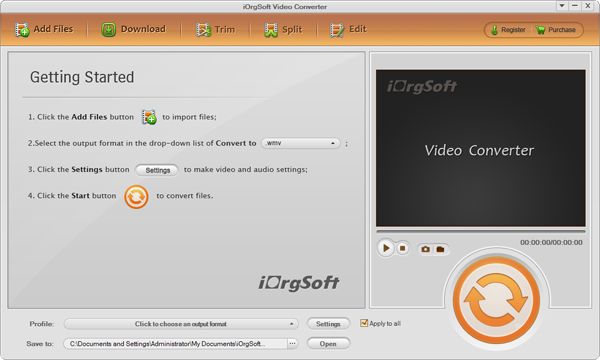
Add .3gp files to the program
Click "+" button to locate .3gp file(s) from hard drive.
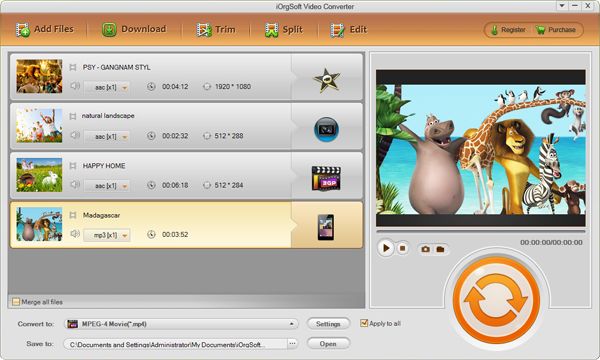
Start converting 3GP to BlackBerry
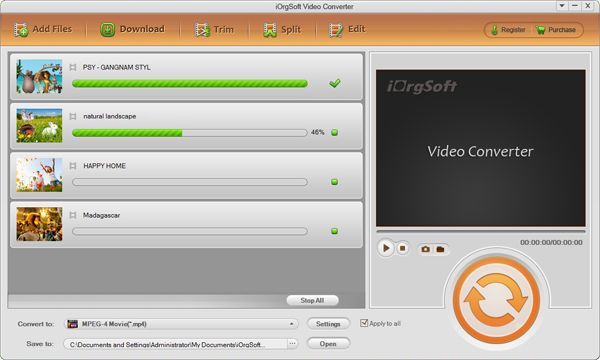
Go to "Convert" option, choose BlackBerry-friendly file format or BlackBerry model name under the drop-menu of "Profile". Finally, click "Convert" to launch the conversion from 3GP to BlackBerry. When the conversion is done, you can transfer the output MP4 files to BlackBerry device and enjoy the funny .3gp movies on BlackBerry with no hassle.
This 3GP to BlackBerry Video Converter is specially designed for Windows OS users, including Windows 8, Windows 7, Vista, XP, etc.



