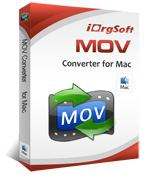
MOV Converter for Mac
With the entry of Kodak Zi8 and Kodak PlaySport into the digital pocket camera industry, there’s been increasingly request of a simple yet powerful program to edit HD video .MOV and convert .mov in HD for editing with iMovie, FCE/FCP, Windows Movie Maker or other editing programs. iOrgsoft mov converter for Mac is currently the best program to convert Kodak Zi8.mov, Kodak Playsport.mov, QuickTime.mov, QT and other mov files produced by other brand cameras.
iOrgsoft MOV converter for Mac can convert mov to wmv, avi, mpg, mpeg-4, h.264, mkv, mp3, 3gp, aac,ac3, convert mov to FLV for Youtube, Myspace and Facebook, and convert MOV for importing to iMovie and iTunes then sync onto iPod, iPhone, iPad and Apple TV. You can also convert almost all other video files to MOV format.
Mov converter for Mac support batch convert both video and audio streams of MOV to different format on Mac OSX 10.4 or later, basic video editing functions well enough to let you split and join video file into one, selectively and partially convert video to mov, extract audio file from video and extract single frames to image files.

Powerful iOrgsoft MOV converter for Mac OSX
Convert Kodak Zi8, Kodak Playsport, MOV, Quicktime format.
QT, DVD (home made and commercial), HD video (tod, avchd, m2ts, ts, mts), SD video(avi, mov, flv,wmv, mpg, 3gp, mkv, asf,rmvb,flip,rm, mp4) with Snow leopard on iMac, Mackbook (Pro).
Kodak Zi8, Kodak Playsport, and other cameras that produce .mov files
iOrgsoft mov converter for Mac can convert mov to avi, mp4, mpeg, flv, wmv, 3gp, HD video, mp3, wma, aac, mka etc and extract audio from tod.
Transfer mov files to iPad, iPod, iPhone, Apple TV, PSP, BlackBerry, Creative Zen, iRiver, Zune, Plam, Epson media players, any cell phone and many other video and audio player on Mac.
This expert mov converter Mac can bring mov file to QuickTime, iMovie, iTunes, FCP, FCE, PPT, and Adobe Premiere Pro etc
By converting mov file to Flash SWF and FLV, RM or WMV movies. You can upload and embed your mov files to YouTube, Google, Yahoo, MySpace etc to share on Mac.
It allows importing mov files to Apple iDVD to make your home DVDs, just convert mov to mpeg-4 or mpeg-2 will be OK.

Basic video editing features:
With the program, you can also crop, trim, split, cut, apply effect etc to make your own movie.
Trim
set start and end point to define the playing length
set aspect ratio, 16:9, 4:3, full screen etc
adjust brightness, contrast, and saturation; special effect: gray, emboss, old film etc.
Resolution, Frame Rate, Encoder and Bitrate of video, Sample Rate, Channel, Encoder and Bitrate of Audio
join multi-file into whole movie
One Into Several From one single file, split it into several part so you can fit them on your multimedia device.
capture images simply using snapshot button while previewing the movie.
rotate vertical and horizontal

Specifically designed for Mac users
can be used on mac 10.4, tiger, leopard, 10.5.7, 10.5.8, sonw leopard etc
Mac Snow Leopard support
Iorgsoft mov converter Mac is compatible with the latest version of Mac, no problem run on Intel-based Mac version and Power PC-based Mac version. Suit to Unibody Macbook, Mac Pro, Mac Mini, MacBook, MacBook Pro, MacBook Air, iMac and PC with Mac OS X.
Batch conversion, Concise guidance, friendly user interface in mov converter for Mac make everything easier. Never lose Subtitles, never video and audio sync out, no heaps of programs, laggy etc.
Online technical support and periodically program update service for free.
References
Output Devices Supported
iPod, iPod nano, iPod classic, iPod shuffle, iPod touch
iPhone, iPhone 3G, iPhone 3GS, Apple TV
Apple iPad
PSP, PS3
General 3GP mobile phone, BlackBerry, etc.
General MP4 players: Archos, Creative Zen, iRiver, etc.
Input File Formats Supported
Video: MOV, WMV, 3GP, 3G2, VOB, MPG, ASF, FLV, AVI, DV, MPEG-1, MPEG-2, MP4, MKV, H.264/MPEG-4 AVC, DivX, XviD, MOV, RMVB, RM, Format
Audio: MKA, MP3, WAV, M4A, AAC, AC3, AIFF, AMR, FLAC, WMA, MP2 Format
Output File Formats Supported
MOV, WMV, 3GP, 3G2, VOB, MPG, ASF, FLV, AVI, DV, MPEG-1, MPEG-2, MP4, MKV, H.264/MPEG-4 AVC, DivX, XviD, MOV, RM, ASF, MPEG-1, MPEG-2, MPEG-4 Format
MKA, MP3, WAV, M4A, AAC, AC3, AIFF, AMR, FLAC, WMA, MP2 Format
BMP, JPEG, JPG, PNG
Output Devices Supported
MAC OS X 10.4 or above operating system(include Mac OS X v10.5.7 Leopard and Mac OS X v10.6.3 Snow Leopard).
1G Hz or above Intel® processor or PowerPC® G4, G5.
256MB RAM (512MB or above recommended)
100MB space for installation
Super VGA (800x600) resolution, 16-bit graphics card or higher
DVD-ROM drive
Related Products
AVCHD Converter for MacMac AVCHD Video Converter can convert AVCHD videos(recorded by Panasonic, JVC, Canon, Sony and more AVCHD camcorders) to MOV, MPEG-4, DV or M4V for using in apple QuickTime, iTunes, FCP, etc.
DVD Ripper for MacDVD Ripper on Mac enables you to converting DVD video for playback on media players and mobile devices as simple as few mouse clicks.
Movie Converter for MacMovie Converter can convert between almost any formats fast and smoothly like TOD, MOD, M2TS, AVI (DivX, Xvid, etc.), MP4 (inc. Sony PSP and Apple iPod), WMV, 3GP, QuickTime (MOV, QT), SWF, DVD.
Video to MOV ConverterMOV Video Converter is a powerful Video Converter which can convert almost all popular video formats to MOV format.