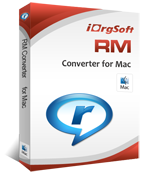
RM Converter for Mac
RM files are a multimedia container format which usually contains audio and video streams compressed using RealNetwork's proprietary RealAudio and RealVideo codecs. .rm is not open enough that sometimes we feel annoyed that we just can’t play files made for Real Media without using their player.
RM Converter for Mac carries a powerful codec pack that is capable of converting .rm to almost any other video/audio formats while no other codecs are needed. RM Converter for Mac makes thing possible and easier for us to enjoy .rm with different media player and view them on various mp3 players
RM Converter for Mac supports to read, convert and edit .rm files in an easy and simple way. It can convert .rm to avi, mpg, mov, mp4, m4v, flv, 3gp, mp3, flac and AAC etc. with so much video/audio file can be written, there is no doubt they’ll work smoothly in your portable player, handheld computer and home network.
Another outstanding feature within Rm Converter for Mac is the video editing capacity. RM Converter for Mac allows you to crop black sides in the frame; trim video and audio and apply effects like contrast, brightness, or saturation to video. More just need you to explore.
Note: This version is for Mac OS. If you are using Windows™, please click here.
RM Converter for Mac carries a powerful codec pack that is capable of converting .rm to almost any other video/audio formats while no other codecs are needed. RM Converter for Mac makes thing possible and easier for us to enjoy .rm with different media player and view them on various mp3 players
RM Converter for Mac supports to read, convert and edit .rm files in an easy and simple way. It can convert .rm to avi, mpg, mov, mp4, m4v, flv, 3gp, mp3, flac and AAC etc. with so much video/audio file can be written, there is no doubt they’ll work smoothly in your portable player, handheld computer and home network.
Another outstanding feature within Rm Converter for Mac is the video editing capacity. RM Converter for Mac allows you to crop black sides in the frame; trim video and audio and apply effects like contrast, brightness, or saturation to video. More just need you to explore.
Note: This version is for Mac OS. If you are using Windows™, please click here.
Latest Version:
3.3.8
Fullsize:
8.32M
Language:
English
Platform:
Mac OS X v10.4 - v10.5 (no Windows OS support)
License Type:
Free to try, $29.95 to buy
Trial Limitation:
Watermark on output video.
Free Support:
Free Email Support offered to you: Mac RM Converter EMail Support Centre
Main features of RM Converter for Mac
Support in almost all output video formats:3g2, 3gp, (Divx, Xivd) avi, dv, flv, mkv, mov, mpg, mp4, swf, wmv and m4v
Convert video to audio/extract audio from video:mp3, flac, aac, ac3, aiff, amr, m4a, mka, mp2, ra, wav and wma.
Require the least time while keep original output video quality:Benefit from batch conversion. Make the most of your multi-core processor power
Suitable for various portable devices:iPod, iPhone, Blackberry, PSP, Creative Zen, iRiver, Gphone, etc
Capture Images from Movies Save single frames as images in jpg. bmp. png
Merge into one fileRmvb converter supports merge the many of converted file into one
Powerful Video Editing capacityCrop out the unwanted part in the frame like the black sides,
Trim the video to have certain lengthen of clip converted,
Apply video effect like saturation, brightness, contrast,
Play with Resolution, Bitrate and frame rate with different parameters for better rendering effect.
Total free of Adware and spyware
Online technical support and periodically program update service for free.Technical Support
Tutorial: How to convert rm to mov, mpg, mp4, 3g2, 3gp, avi, dv, flv, mkv, swf, wmv, m4v with Mac RMVB Converter?
Technical Support Contact: RM Converter for Mac EMail Support Centre
System Requirements:
Processor: PowerPC® G5 or Intel® processor
OS Supported: Mac OS X v10.4 - v10.5
Hardware Requirements: 512MB RAM, Super VGA (800×600) resolution, 16-bit graphics card or higher


Movie Converter for Mac