

 >>Audio Tips>> iOrgsoft WMA Converter
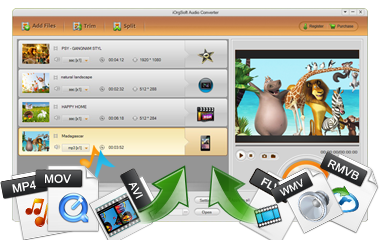
WMA Converter gives you the ability to convert almost all popular audio files like WAV, MP3, M4A, MP2, AC3, AMR, etc to WMA format. In addition, it supports extract audio from video files.
Secure Download
Secure Download
WMA is an audio file compressed with Windows Media compression, typically used on Windows platform. It's often used for playing music from the Web and meanwhile, it is supported by some old-fashioned media players like Zune. Converting video/audio files to WMA is a good choice for reducing the file size while keeping the audio quality.
| MP3 to WMA | To reduce the audio file size while keeping as good quality as MP3, convert MP3 to WMA is a good idea. |
| FLAC to WMA | FLAC compress audio files with no loss in quality but is always large in file size. Convert FLAC to WMA can reduce the size and keep decent quality. |
| M4A to WMA | M4A is the default audio format used by Apple iTunes but it is not supported by some Windows-based apps like Windows Media Player 11. |
| MP4 to WMA | If you want to play MP4 on your music players as an audio file, you can convert MP4 to WMA. |
As is mentioned, WMA is mainly a Windows-based audio format and it is less popular than other formats like MP3 and AAC. Typically, it is not supported by all Apple devices which are based on Mac OS or iOS. If you'd like to play the WMA files without format incompatibility problem, you'd better convert WMA to other format like MP3.
| WMA to MP3 | WMA does not provides good format compatibilty. Instead, you can convert WMA to MP3. |
| WMA to M4A | WMA is not supported by Mac & iOS devices. To solve this problem, you can convert WMA to M4A -- the default format used by iTunes. |
| WMA to iPhone | iPhone (included iPhone 5s/5c) doesn't recognize WMA format. If you want to play WMA with iPhone, you need video conversion. |
| WMA to iPod | Just like iPhone and ohter Apple gadgets, iPod does not support WMA as well. |
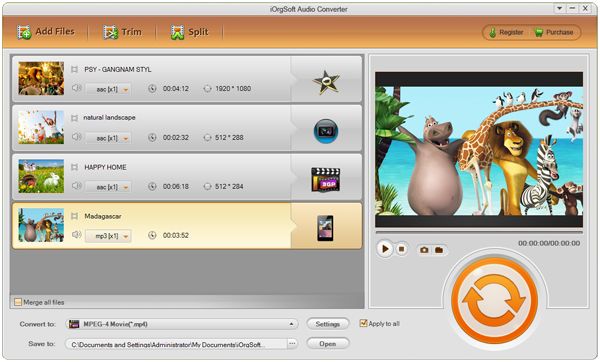
To start with, you need to add files that need converting. Click "Add Files" button to load local files. Additionally, you can drag and drop files directly to the program. Batch conversion is allowed so you can add multiple files at one time.
Beside the "Add Files" button, you can see the "Split" and "Trim" icons. With these two functions, you can split the source file into several parts or trim it into different segments. Please feel free to have a try.
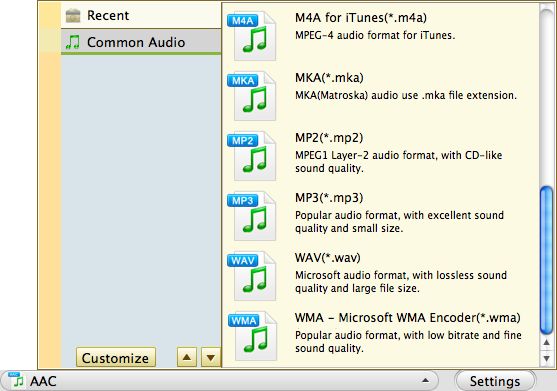
By using iOrgsoft WMA Converter, it is very easy to do the WMA conversion. Simply open the the "Convert to" format list, then choose the output format like WMA, MP3, AAC, etc. as per your need.
If you import several files for conversion and tempt to convert all of them to the same format, say WMA, you can tick the "Apply to all" check box. On the left of the "Apply to all" check box, there is the "Settings" button. Click it and you can customize the output parameters to adjust the ouptut quality.
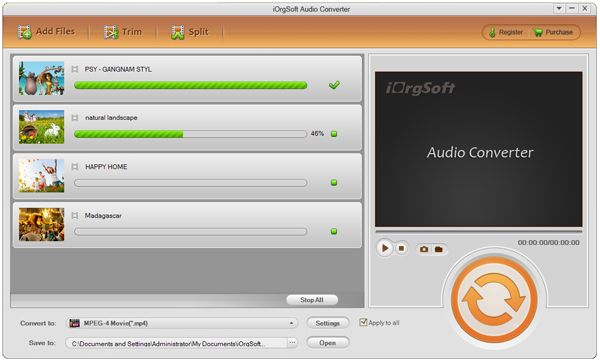
When you are done with all settings and editings with the imported file, you can start conversion by clicking the conversion icon. After that, you will get the output files.
Secure Download
Secure Download




Terms & Conditions| Privacy| Sitemap| Contact Us| About Us| Affiliate| Newsletter| License Agreement| Uninstall
Browser compatibility : IE/Firefox/Chrome/Opera/Safari/Maxthon/Netscape
Copyright © 2007-2016 iOrgsoft Studio All Rights Reserved