


Convert Kodak video files to AVI.

Convert Kodak zi8 video to avi using Kodak video to avi converter
You are trying to import videos took from your new Kodak Zi8 camera to Windows Movie Maker but they are showing up as invalid (they are .mov files). Assuming that these videos are important for a show you wish to post on YouTube but they won't upload! You have no idea what the best program is out there that's quick and simple to use, and most important, it works.
Secure Download
Secure Download
Generally, we use Kodak zi8, zi6, Kodak Playsport or Kodak Easyshare pocket camera for:
--Home Videos/Fun stuff with old buddies and friends.
--For work when one needs some quick video that's easy to upload online, or put in iMovie and edit
--For work when one needs more complex videos that may require editing.
Windows movie maker won't support Kodak Zi8 video.mov as native format, you will need to convert .mov file to avi for importing to Windows movie maker. iOrgsoft Kodak to AVI Converter is the best, simple and inexpensive shareware program will fast convert mov from Kodak zi8, Kodak Playsport, zi6 and Kodak Easyshare to avi, divx, xvid, or uncompressed avi, the program also convert Kodak to wmv, mpg/mpeg-2,4,1, dv, flv, 3gp and more.
Kodak to AVI Converter for Windows 7 runs smoothly on Windows XP, Vista as well, it has self-explanatory user interface, you can use the program to encode mov file to avi for DVD authoring, for streaming over internet or for editable format.
Features of Kodak zi8 video to avi converter
1: Adjust Aspect ratio
Original, full screen, 4:3 or 16:9
2: Select various output formats
Select AVI, WMV or MPG for edit Kodak video in windows movie maker, premiere cs4/elements
Select FLV for upload Kodak video to YouTube
Select SWF for embedding to website, blog
Select MP4 for putting onto iTunes, iPod, iPhone, iPad
Step by step guide on how to convert Kodak video to avi with Windows 7, XP or Vista and import Kodak zi8/playsport video to Windows movie maker.
Download and install iOrgsoft Kodak Video to avi Converter.
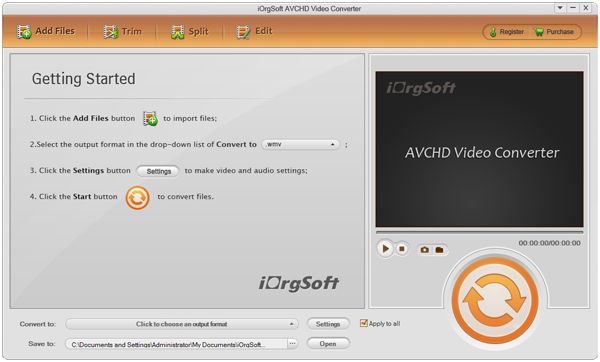
Load Kodak video files.
You can batch load Kodak video. mov files, all your clips can be cutted, and then merge into one file
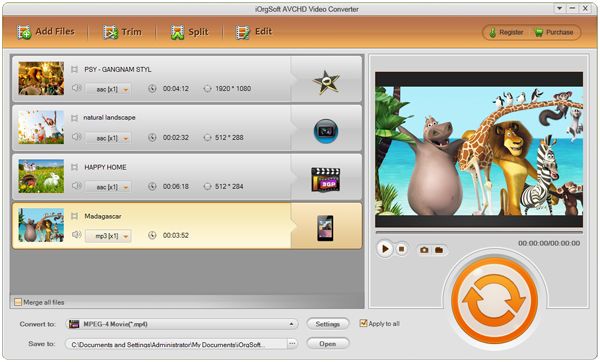
Convert
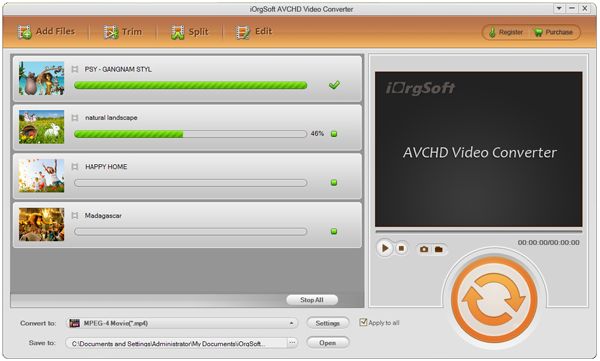
Choose AVI in the Profile list, hit Start to convert Kodak video to avi, mpg that windows movie maker, Sony Vegas imports.
Related Articles
Hot Article
- Useful AVCHD to MP4 Converter Simply Convert AVCHD to MP4
- How to Edit MTS Files with MTS Editor
- XAVC Converter for Mac
- Convert MXF files on Mac
- MTS to DVD maker for mac lion
- How to Convert XAVC to MP4 on Windows and Mac OS X
- Import MTS to Final Cut Pro on OS X Mountain Lion
- Import MTS files to iMovie 08, 09, 11
- Convert MXF to DVD Mac



