


Pinnacle studio video converter

Pinnacle Studio is a great video editing tool, it can smoothly edit many popular video formats like AVI, MP4, AVCHD, DV, HDV, MKV, etc. however, some video formats like MOV are not supported by it.
Pinnacle Studio 17 supports video formats:
MVC, AVCHD™, MPEG-1/-2/-4, DivX®, DV, HDV, AVI, Flash, 3GP (MPEG-4, H.263), WMV, QuickTime® (DV, MJPEG, MPEG-4, H.264), non-encrypted DVD titles (incl. DVD-VR/+VR), DivX Plus® MKV
Import mov etc. video to Pinnacle Studio have two methods: one is to install their codec, but install codec pack is too complex and expensive for us; another method is to convert mov files to dv-avi directly using iOrgsoft Video Converter.
iOrgsoft Video Converter can batch convert mpg, mov, mp4, rm, rmvb, tod, mts, m2ts, 3gp, flv etc to dv-avi, xvid, divx, hd avi etc for importing to Pinnacle Studio(any version included) directly, and you can adjust the resolution, bit rate, frame rate and encoder of the video through setting easily.
If your files are not right formats to Pinnacle Studio, three steps help you easily.
Download iOrgsoft Video Converter on your pc
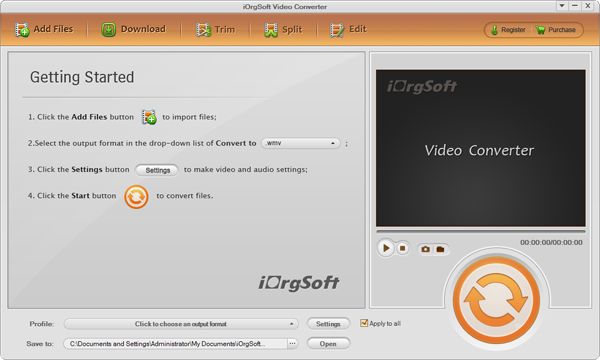
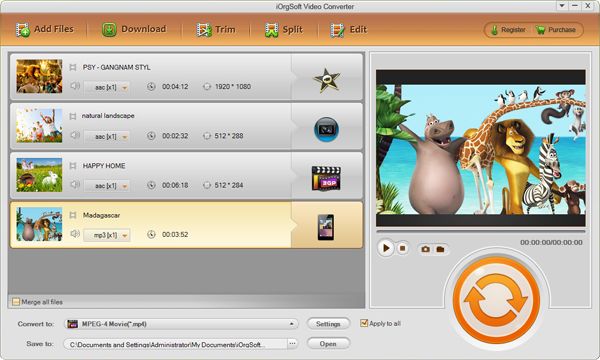
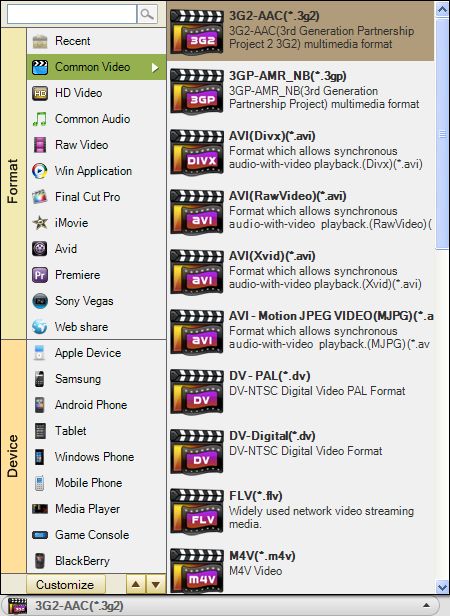
Add files and choose output format
Click Add Files to add raw files, set output as dv-avi, then save to destination place.
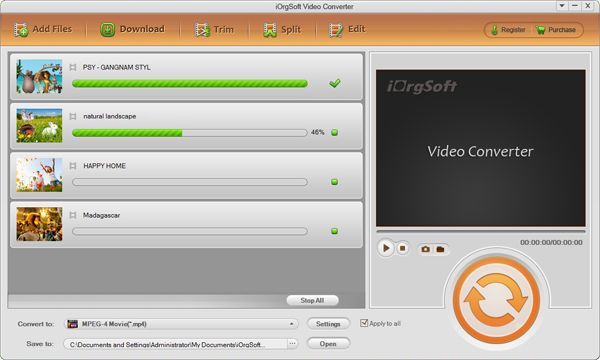
Converting starts
Click Start, whole progress will finish automatically, last import ripe video to Pinnacle Studio freely.
This Video Converter can also convert video for other video editor like sony vegas, Adobe Premiere, video portable player like iPod, iPhone, PSP, PS3 etc also can using Pinnacle Studio converting tool. Do some simple edit, such as trim, crop, apply effect, merge, snapshot, rotate can just use Pinnacle Studio converter program directly.
Related Articles
Hot Article
- Easy import AVI to iMovie ‘08/’09/’11
- Import MTS files to iMovie 08, 09, 11
- Edit Canon C500 MXF footage in Final Cut Pro
- Import MTS to Final Cut Pro on OS X Mountain Lion
- How to Open MKV in Sony Vegas
- Convert Youtube FLV into Sony Vegas
- AVCHD to Windows Movie Maker
- Convert/import MOV file to WMM
- Convert AVCHD to to iDVD for burning
- FLV to PPT converter



