


Rip Cyber-shot DSC-HX5V Video to DVD

How to Burn Sony Cyber-shot DSC-HX5V Video to DVD
Sony Cyber-shot DSC-HX5V is an excellent HD camcorder, since it came out to the market, it has gained great popularity through its high video quality and simple operation, humanity design, it has become one of the best HD camcorders now.
Sony Cyber-shot DSC-HX5V can shoot full HD(1920*1080) video at AVCHD format, a new video format that is not compatible with many media player including DVD player. So if you want to backup the AVCHD video files and share with your family and friends in large screen player such as on TV, a good way is to burn them to DVD.
DVD Maker is a powerful software to backup and trim AVCHD videos to DVD, as well as other format video such as MP4, AVI, HDV, WMV, MOV, FLV, MOV, etc to DVD. With it, you can easily burn you AVCHD file to DVD and then to share with others. This article will tell you how to burn AVCHD file to DVD with DVD Maker.
Secure Download
Secure Download
Download and install DVD Maker on your computer, run it
Import AVCHD file from your Sony Cyber-shot DSC-HX5V camcorder, just click the File or Plus to import file.
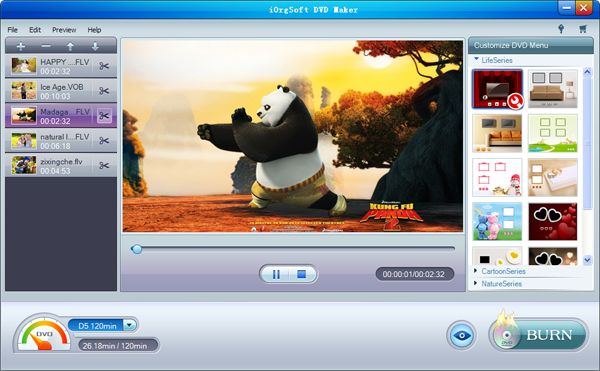
Set your customize menu
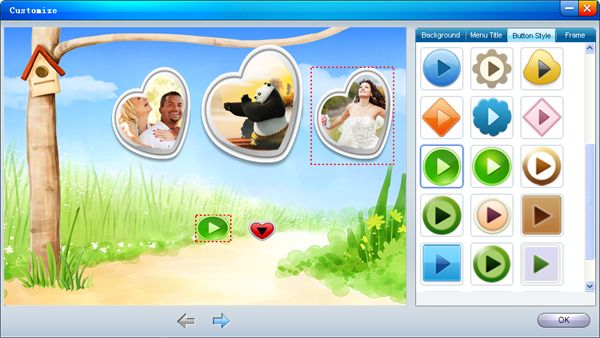
DVD Maker can help you make your customized DVD on preview mode by adding background music and picture, setting menu title, paly/pause button and frame. Click the setting icon to begin these settings.
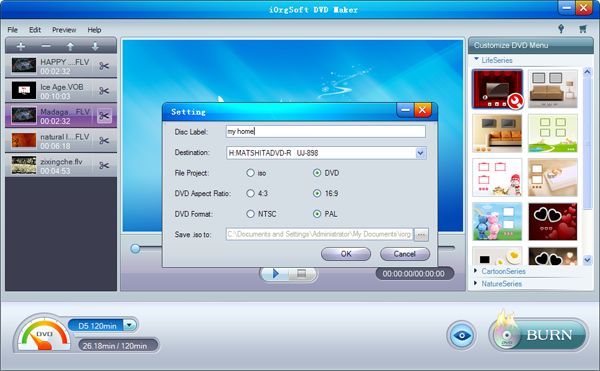
Advanced Setting
Before burning, you are required to finish settings below, you can choose to generate ISO image or DVD, set DVD aspect ratio, and DVD format
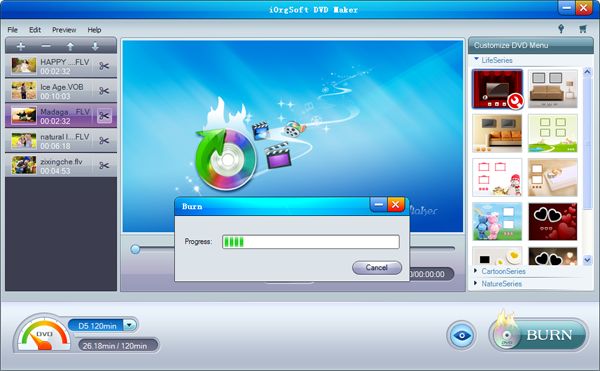
Burn
Click the Burn button to start burning, it will take the DVD Maker a few minutes to finish burning according the the volume of the file and your specific settings.
Related Articles
Hot Article
- Useful AVCHD to MP4 Converter Simply Convert AVCHD to MP4
- How to Edit MTS Files with MTS Editor
- XAVC Converter for Mac
- Convert MXF files on Mac
- MTS to DVD maker for mac lion
- How to Convert XAVC to MP4 on Windows and Mac OS X
- Import MTS to Final Cut Pro on OS X Mountain Lion
- Import MTS files to iMovie 08, 09, 11
- Convert MXF to DVD Mac



