


Final Cut Pro to DVD Maker mac

How to Export/Burn Final Cut Pro to DVD with Mac FCP to DVD Maker?
“I'm an old hack with FCP, but I'm new to the DVD-burning game and I'm having troubles. I Just wonder if I can get some advice. I need to export my project from final cut pro to DVD, and now I am confusing what the best way is to get the best quality DVD. Any advice on burning FCP files to DVD would be really appreciated. Thanks!”
As we know, Final Cut Pro supported video files including DV, QuickTime MOV, MPEG-4 etc. If you want to export any Final Cut Pro video and burn them to DVD freely, you may need a third party software to burn Final Cut Pro MOV, DV videos to DVD so that you can play back those videos on DVD player or TV set in different standards perfectly.
Final Cut Pro to DVD Maker for Mac is one simple yet powerful software for burning any Final Cut Pro MOV, DV videos to DVD on Mac (Mac OS X Snow Leopard, Lion included). Besides, you can also burn Final Cut Express to DVD, Final Cut Pro x to DVD, etc with fast burning speed and best output quality.
Surely, the versatile Mac FCP to DVD Maker software also allows to embed some professional editing jobs like to create a distinctive DVD menu, to customize background music and picture, or even to clip unwanted parts, adjust video effect, and so on to DIY the DVDs with your own style.
Secure Download
Secure Download
You may ask how to use such amazing program to do the burning and DIY jobs. Then you can take steps below to learn burning Final Cut Pro to DVD on Mac.
Select the FCP videos to DVD Maker
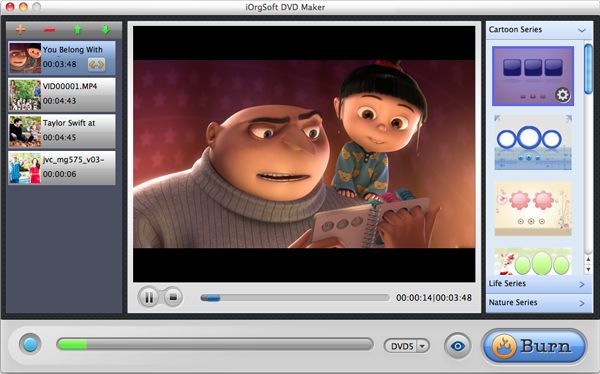
When importing the FCP MOV files to the program, you have to click the “+” icon on top-left corner to make it. You can add several files at a time considering the DVD storage.
Do Further Setting
You may notice that there are several buttons at the bottom. They are there for you to do further setting. You can set due to its usage.
“DVD5/DVD9”: Both of the options mean the time limit of your DVD disc, “DVD5” for 120min, and “DVD9” for 240min.
“eye” icon: It’s for previewing.
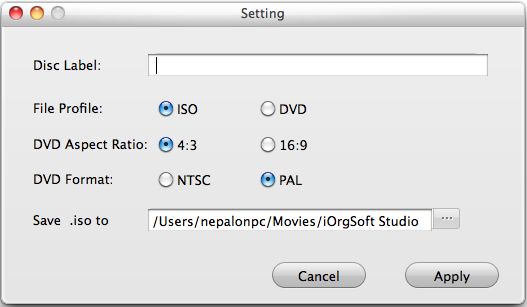
“Burn”: It’s for you to set the output file type (ISO/DVD), DVD Aspect Ratio (4:3/16:9), DVD Format (NTSC/PAL), etc.

Fast burn FCP to DVD
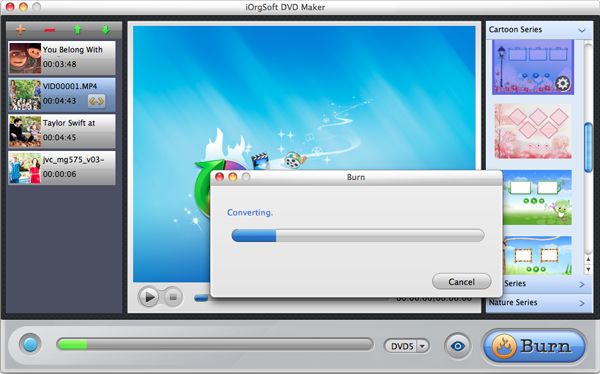
When hitting “Burn”, you may do the final setting, and after that, you may hit “Apply” in the “Setting” window, and the burning will begin at once. Remember to insert a blank DVD disc to the DVD-ROM for burning if you are not going to output ISO file. Then wait for some time and you can play back the videos on your DVD player.
More on iOrgSoft DVD Maker:
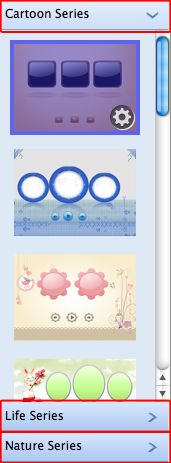
In fact, the shining function of this DVD burner is to create your own DVD menu with customized background image, music, and title (words), as well as the button icon. You can do all of these editing with the Customize DVD Menu panel:
Related Articles
Hot Article
- Easy import AVI to iMovie ‘08/’09/’11
- Import MTS files to iMovie 08, 09, 11
- Edit Canon C500 MXF footage in Final Cut Pro
- Import MTS to Final Cut Pro on OS X Mountain Lion
- How to Open MKV in Sony Vegas
- Convert Youtube FLV into Sony Vegas
- AVCHD to Windows Movie Maker
- Convert/import MOV file to WMM
- Convert AVCHD to to iDVD for burning
- FLV to PPT converter



