

As MOD camcorders such as Canon FS100,JVC GZ-MG30, Panasonic SDR-S100 , and the like become popular, more and more MOD videos come out, but when you want to backup or share with others, you may meet the problem: the MOD file can not be played by most devices. DVD is a good choice to backup MOD files and share them with family and friends conveniently, so, many users want to burn MOD to DVDs. Then a MOD to DVD Creator is needed. iOrgsoft Mac MOD to DVD Creator is such a software to help you burn MOD file to DVD with ease. It offers professional solution to burn MOD files to DVDs with high video quality yet just needs several simple operations.
Secure Download
Secure Download
Step 1: Download and install Mac MOD to DVD Creator, run it.
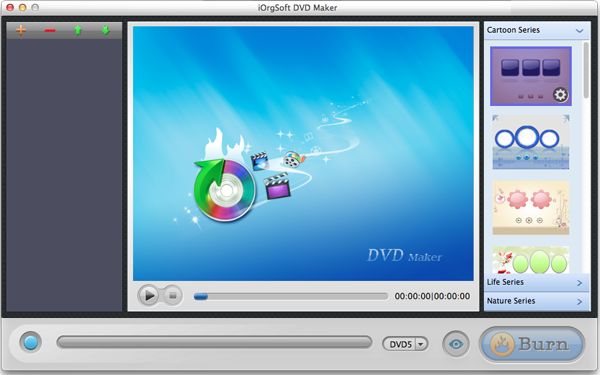
Step 2. Insert a blank DVD to your computer
Step 3: Import file by clicking the Plus on the left-top corner, a window will appear, after you select files, click Open, the file will show on the file list on the MOD to DVD Creator
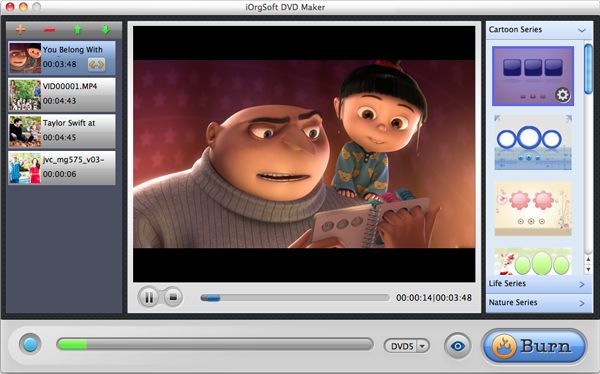
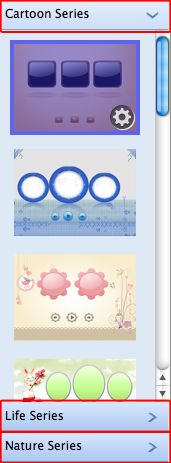
Step 4: Burning
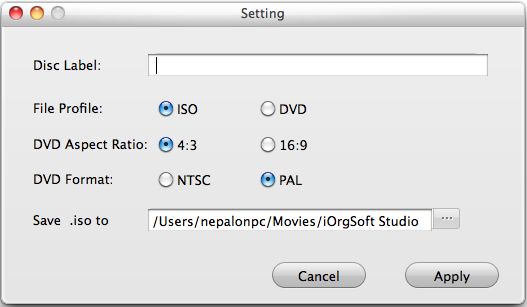
After finish the settings above, click Burn button, a setting window will appear for you to set the parameters such as File project , Aspect Ratio, and DVD Format as below, click OK after you set them.
After Mac MOD to DVD Creator finishes burning, you can play the DVD then.
$39.95
Mac DVD burning program to burn videos to DVD on Mac and create DVD menu with stylish template.


$35.00
Easily and quickly convert from HD/SD videos to common video formats with no quality loss.
$35.00
Easily and quickly convert from HD/SD videos to common video formats with no quality loss.




Terms & Conditions| Privacy| Sitemap| Contact Us| About Us| Affiliate| Newsletter| License Agreement| Uninstall
Browser compatibility : IE/Firefox/Chrome/Opera/Safari/Maxthon/Netscape
Copyright © 2007-2016 iOrgsoft Studio All Rights Reserved