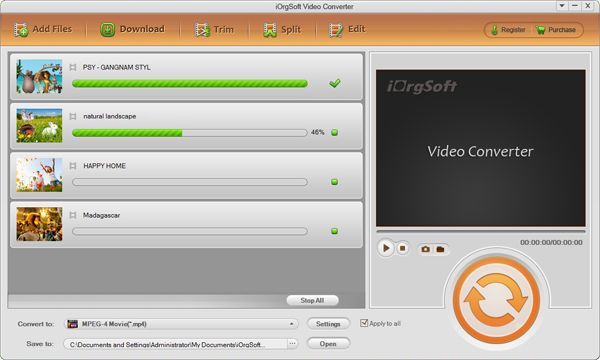
MKV to iRiver Converter

Maybe you’ve also come across the following similar troubles or confusion when playing MKV files on iRiver player.
Q1: "How do I watch .mkv movies on my iRiver player?"
Q2: "Can iRiver play 720p or 1080p mkv files natively?"
About MKV format:
MKV is a container format that store multiple streams of video, audio and subtitles. These streams may require you to install decoding software and filters to playback depending on what player you use. MKV files can be playable on VLC media player.
However, iRiver player can’t support MKV file format. So you may suffer from the MKV playback issues on iRiver. Anyway, there is an easy solution for you-to convert MKV video to iRiver supported file formats such as WMV or AVI.
iOrgSoft MKV to iRiver Video Converter can easily and fast convert MKV to iRiver-friendly file formats like AVI or WMV. In addition, it offers optimized presets for any iRiver player to make MKV movies flawlessly play back on iRiver. What’s more, you can edit video at ease with the provided editing functions. Now, follow the below guide to successfully convert MKV for iRiver enjoyment.
For Preparation:
Download, install the MKV to iRiver Video Converter Supported OS:?Windows 8/7/XP/Vista
The guide will take Windows version as an example. If you are using Mac OS (OS X 10.5, 10.6 or 10.7), please refer to the version of MKV to iRiver Video Converter Mac. Both versions have almost the same functions.
Secure Download
Secure Download
Load .mkv files
Run the program. Then, click "Add File" button to import .mkv files you want to convert.
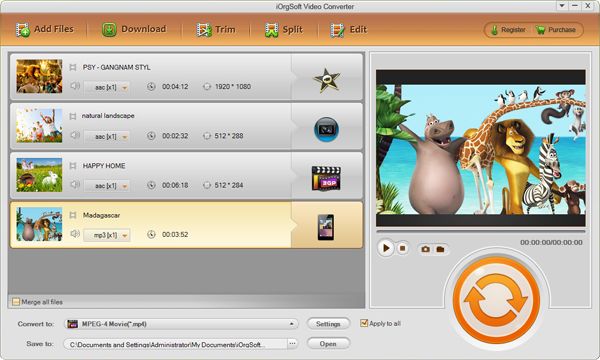
Select "iRiver Video AVI" as output file format
Directly choose "iRiver Video AVI (*.avi)" as output format in the drop-down list of "Profile" menu.
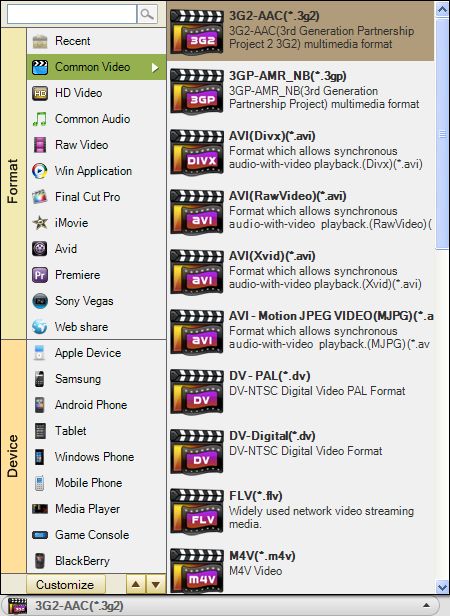
Start converting MKV for iRiver
Hit "Start" button to launch the iRiver video conversion. When the conversion is done, you can easily access to the output file by default. And the converted video can be well playable on iRiver without any hassle.