


convert MOD to windows WMV format

How to convert MOD to WMV with MOD to WMV Converter?
MOD to WMV Converter program to simply convert MOD to WMV format on windows, Windows 7 supported.
If you want to do some amateur video editing and need to be able to easily transfer the MOD video from JVC model (or Canon, Panasonic) camera to your computer, only to find Windows Media Player, Quicktime,Windows Movie Maker and After Effects cant open these files, although the manual of the camcorder lists the format as MPEG-2. So anyone familiar with this format can help advise a MOD to WMV Converter program to simply convert MOD to WMV format that can easily be used on a PC?
Secure Download
Secure Download
Problems in working MOD format files in Youtube,Windows movie maker,regular portable devices.
Situation 1: "I have a JVC camcorder which records onto its hard drive in the MOD format. It is too big and I want convert it to WMV format and cut it into smaller ones so as to put it on YouTube.
Situation 2: "I have some videos on my hard drive from a small video camera. They are in a MOD format. How can I change them to AVI or WMV for copying a disk to be played on my regular video player?"
Situation 3: "I got a new JVC Everio camcorder, and it records videos to MOD, but Windows Movie Maker isn't compatible with it, so what's the fastest file to convert it to."
MOD format is a informal name of tapeless video format used on some models of JVC, Panasonic and Canon digital camcorders. The MOD file is simply a MPEG2 formatted video file that is often accompanied with small MOI file. And if you wish to view the MOD files on your computer, it is reported safe to rename the extension from MOD to MPG or AVI.
Camcorder models records in MOD format:
- JVC: GZ-MG30, GZ-MG70, GZ-MG37, GZ-MG77, GZ-MG505, GZ-MG130, GZ-MG155, GZ-MG255, GZ-MG555
- Panasonic: SDR-S100, SDR-S150, SDR-S510, SDR-S10, SDR-H18, SDR-H200, SDR-H40, SDR-H60, SDR-SW20
- Canon: FS100, FS10, FS11
Convert MOD to windows compatible WMV format on your PC
MOD wasn't a windows compatible format, fail to open MOD file on windows media player,windows movie maker? MOD to WMV Converter can help you convert MOD to WMV for use on your PC.
Windows Movie Maker/YouTube works natively with WMV format.
WMV is one of the file formats natively supported by Windows Movie Maker, YouTube, WMM also accept other file format like AVI, MPG, ASF etc. Regular portable devices that can play WMV files are BlackBerry, iRiver, Creative Zen, Zune, Gphone etc.
Try using MOD to WMV Converter application on windows
MOD to WMV Converter is a specially designed application for JVC/Canon/Panasonic MOD camcorders users for converting MOD files to WMV files and other popular file formats like AVI, MKV, MPG, MP4, MOV, SWF, 3GP, RM, FLV etc so that you can put them on various portable devices like iRiver, BlackBerry, Gphone, iPod, iPhone, PSP etc, edit it on Windows Movie Maker etc or upload into YouTube without any difficulty. Besides converting between videos, it can also extract audio from video and save as MP3, AAC, AC3, AIFF, WMA, WAV etc
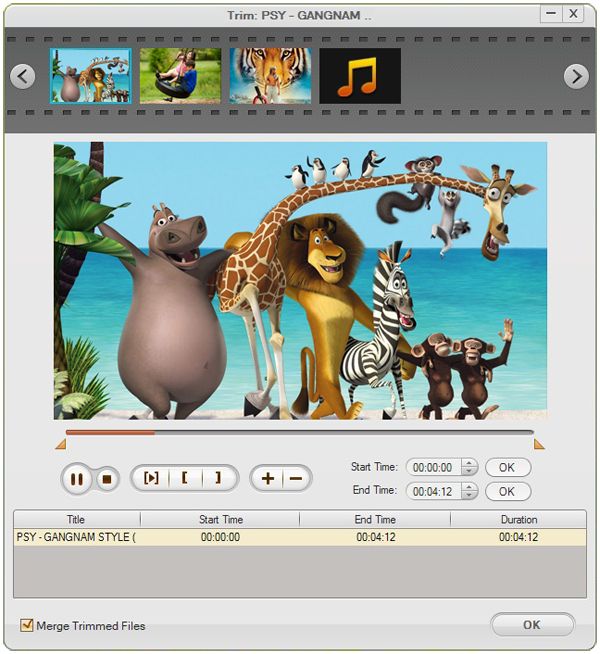
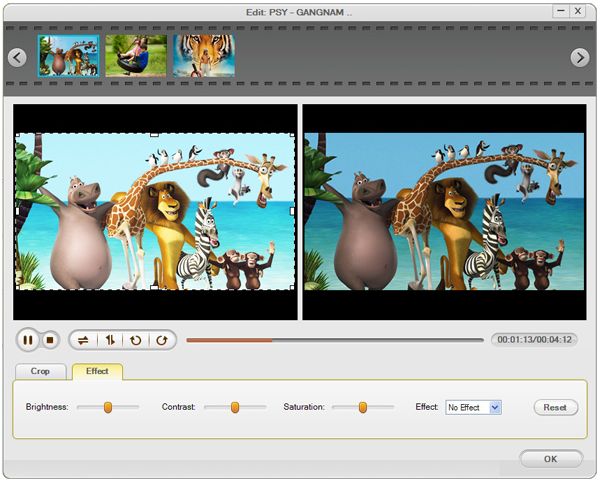
MOD to WMV Converter is also a versatile editing tools, with it, you can trim your MOD files to whatever length you need, crop off unwanted parts from video clips, add special effect like Gray, Emboss or Old film to make your video more artistical, split MOD files to smaller ones or merge several MOD files into a single one. Besides, batch conversion is supported. All these can be realized with a few mouse clicks.
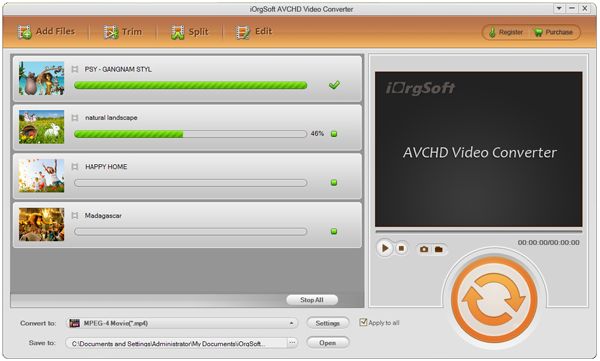
How to convert MOD to WMV format?
Free download MOD to WMV Converter on your PC.
Click "Add files" to add MOD video.
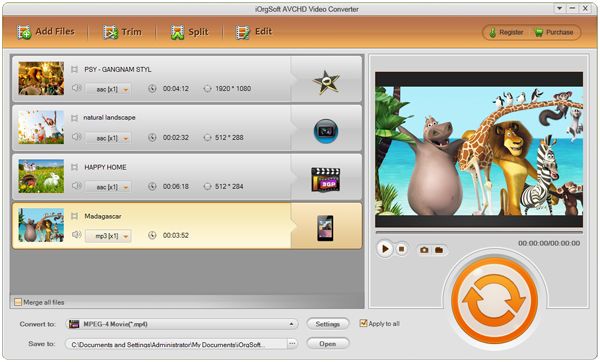
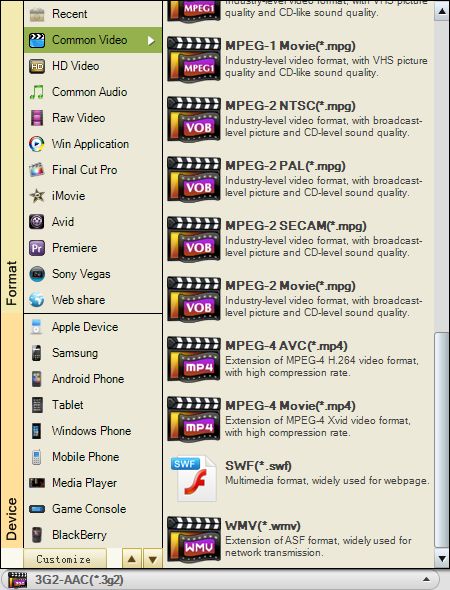
Choose "WMV" for output format and set output folder.
Clip and edit MOD video.
Start conversion
Click "Start" to convert MOD to WMV with best output quality.
Related Articles
- Convert JVC .mod file
- Convert MOD to AVI, WMV, MPG
- Convert mod to Sony Vegas
- How to Edit WMV Files with WMV Editor
- Freely 3 Steps to convert TOD to WMV for JVC TOD videos editable on Windows Movie Maker
- Easy Solution to Convert MTS to WMV with MTS to WMV Converter
- How to Convert YouTube FLV Videos to Windows Movie Maker
- How to Convert XAVC to WMV on Mac and Windows



