


How to Play MOV Videos on Creative Zen

Want to play QuickTime MOV files or recorded MOV video clips on your Creative Zen, you are suggested convert MOV to Creative Zen compatible first, say AVI, for the Creative Zen does not support MOV format.
To convert MOV videos to Creative Zen, iOrgsoft Creative Zen Video Converter is highly recommended here. This program is specially designed to convert videos to Creative Zen to play. Almost all videos are accepted by this converter, so, with it, you can freely enjoy various videos including AVCHD, MOD,TOD, MKV, WMV, MTS,3GP, RM, RMVB, etc. on your Creative Zen.
How to Convert MOV to Creative Zen
Free download and install the MOV video to Creative Zen Converter on your PC (Windows 8 supported); Mac version is available as well.
Secure Download
Secure Download
Add MOV videos to the Converter
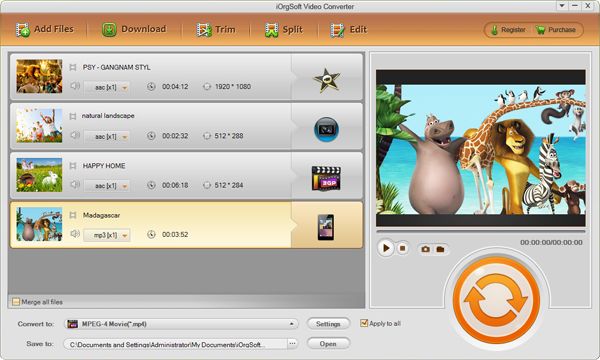
Launch the MOV to Creative Zen Converter, hit "Add Files" button to add the files you want to convert. As the converter supports batch conversion, you can add more than one files once.
Edit videos (Optional)
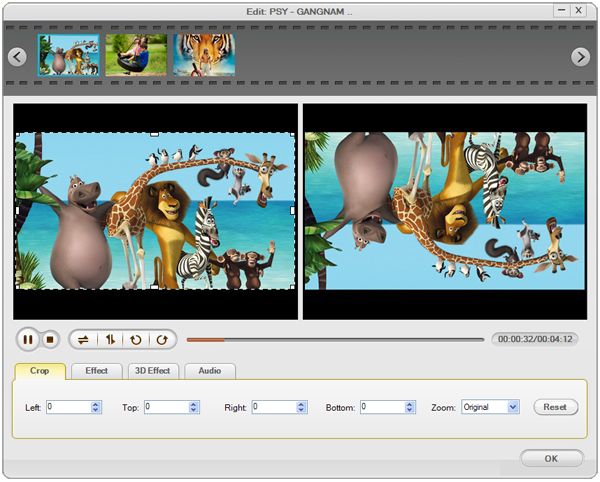
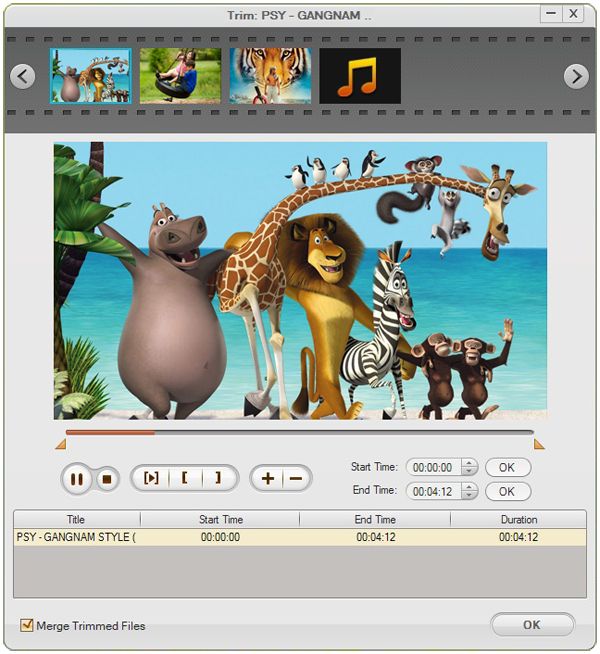
Select the video you want to edit, and then hit the corresponding button to perform the editing function. This Converter provides trimming, splitting, merging, cropping and other functions, for details, click User's Guide for Creative Zen Video Converter.
Convert MOV videos to Creative Zen
Hit the "Convert" button when all settings are done and the conversion will be completed automatically. A message will pop up to direct you to open the folder you have place the generated file when the conversion is finished, then you can import them to your Creative Zen to enjoy on the go.



