MOV to MP3 Converter

Why convert MOV to MP3?
It often happens that you want to play some MOV file background music on MP3 player or extract impressed music from .mov video, so you can enjoy music when driving. In the case, what you need is a profession MOV to MP3 Converter, which can easily extract audio from MOV to MP3.
iOrgSoft MOV to MP3 Converter can extract almost any other video source to MP3 audio forma with no audio quality loss, besides extracting MOV to MP3. More than that, the MP3 audio conversion program also helps you to trim any specific time-length audio file as ringtone for mobile phone. Before finishing the conversion, you can pre-listen the trimmed audio with the built-in audio player. The MP3 Converter can well work on any Windows OS-Windows 8, Windows 7, Windows Vista and Windows XP.
Secure Download
Secure Download
Add .mov video files to MP3 Converter
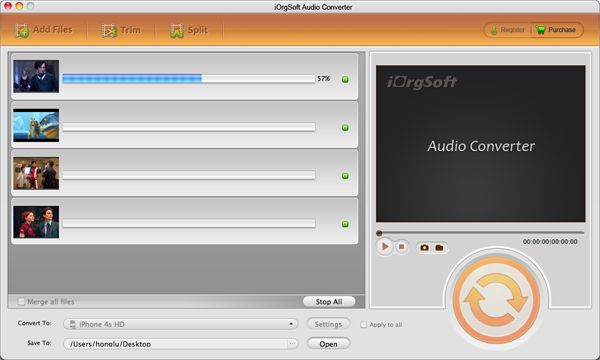
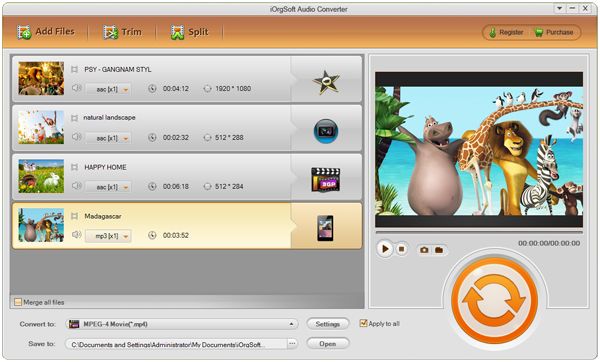
After download and install the MP3 Converter, run the application. Then click "Load File" to add .mov files into the program. Plus, it supports batch conversion. So you can load multiple .mov files.
Trim video
Sometimes, you may need to convert only small segment of .mov file to MP3 format. In the case, you need to trim the source video.
Click "Trim" button in the main menu to enter the trim window. Click the start icon to open audio trimming window and do as follows to trim a clip from the selected file by setting its starting and ending time.
Choose MP3 as output file format
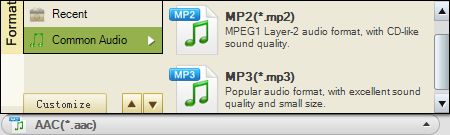
Select MP3 as output format under the menu of "Profile". If you hope to make advanced settings for output audio file, you can hit "Settings" to customize output audio options like Sample Rate, Bitrate, Channel, etc.
Start converting MOV to MP3
Hit "Start" button to launch the conversion from MOV to MP3.