


3GP Video Converter-How to transform AVI files to phone 3GP on Mac OS X

Years ago, phones can only play 3GP video files. Intending to get things done once and for all, people prefer to enjoy communication and entertainment in their 3G mobile phone. However, if you want to watch movies on your3G phone when you are available outside,I’m afraid that you may fail to play the some movies which you downloaded from your PC.
Why? Because many of the popular video formats like AVI cannot be accepted natively by 3G phone, and you'd better change the format to 3GP, the specialized video format for 3G phone, which benefits in its small size. To do this conversion, Mac AVI to 3GP Converter can do you a big favor.
It’s a very user-friendly and fast-converting video converter that excellent in not merely doing the video conversion, but also in other editing function like to trim, crop, split, and merge that enables you to make your own films with it. If you are windows users, you can use this version: 3GP Video Converter for windows.
Secure Download
Secure Download
Next you can follow the specific steps below to try this video converter:
Download the 3GP converter for Mac and get it installed.
You can download the software free on trial and you should have it installed to get ready.
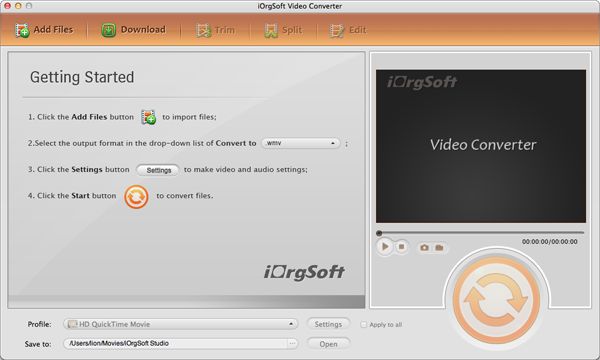
Step2. Import the AVI files to 3GP converter for Mac
In this step, you should first load your files by clicking the "Add Files" button. Then single click the AVI video that you want to convert. Batch converting is available, too.
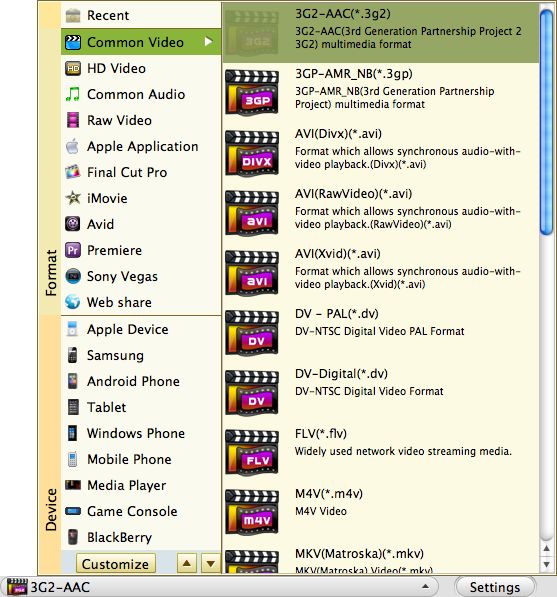
Choose 3GP as the output format
In step 3, you can find this output format by hitting the format icon just as the picture shows below. You should choose the format 3GP.
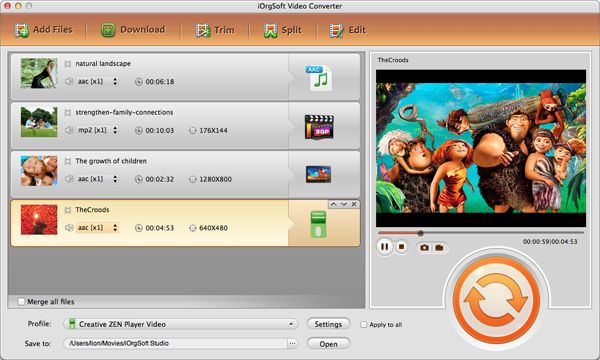
Start to convert AVI to phone 3GP
At last, you should start to transform AVI files to 3GP now. You can strike the big round orange button, that is, the "Convert" button to start converting.



