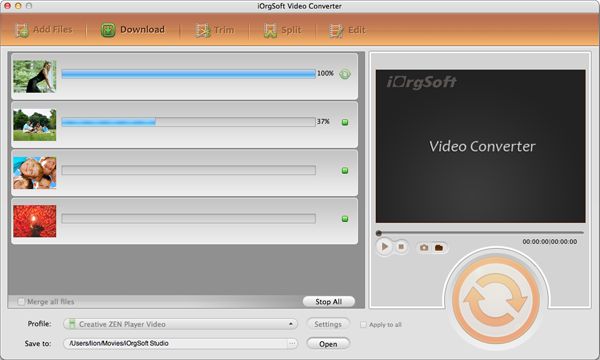
Convert RM to DV on Mac

How to convert realmedia .rm to .dv on Mac OS?
RM to DV convrter for mac is the best program of today for converting RM to DV video that support for both audio and video files and capable of importing RM to iMovie, iTunes and Final cut Pro by converting RM to DV first.
Secure Download
Secure Download
Mac RM to DV converter also allows you to convert RM to other popular formats, edit RM video and extract audio from RM files.
Mac RM to DV converter convert/import RM video to DV iMovie and FCP etc for further editing on Mac OS X
iMovie is a famous video editing software application on MAC and often works with DV/HDV, MOV, MPEG, Final Cut Pro provides non-linear, non-destructive editing of any QuickTime compatible video format including DV, HDV, sometimes AVCHD file (on Intel-Processor only).
RM to DV Converter for Mac can freely convert RM to DV for iMovie(iMovie HD, iMovie '08 and iMovie '09), iTunes, FCP and QuickTime etc, also RM to HDV, RM to MOV, RM to MPEG, RM to MP4 etc.
Convert RM files to other common video formats by using RM to DV converter for mac
Mac RM to DV Converter is so powerful that can convert RM to almost all the popular video formats, such as convert RM to DV, AVI, MPG, MP4,VOB, FLV, WMV, 3GP, HD video etc, import RM video to Sony PSP, Apple iPod, Apple TV, iPhone, Zune, Creative Zen Vision, iriver PMP-100, Gphone, BlackBerry, Palm. It also can rip audio from the RM video and saved as AAC, AC3, AMR, M4A, MKA, MP3/MP2, RA, WAV, WMA, AIFF, FLAC.
Have a try following the next guide:
Install Mac RM to DV converter and add RM files
Download RM to DV converter for Mac and installed on your Mac, then click Add on the top of the interface, for its batch-mode processing, you can add a bunch of RM video as you like.
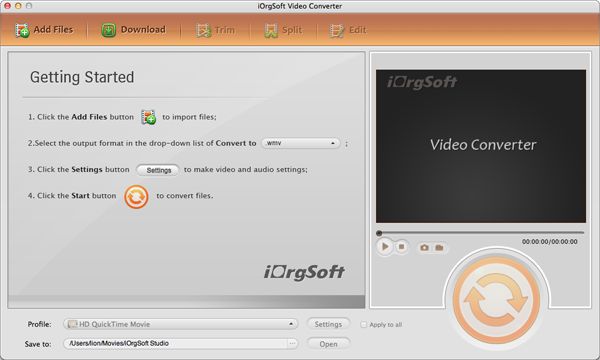
Set output formats for RM video and save RM files
Just click the drop down list of the Profile, choose common video, there are NTSC DV, PAL DV and DV, you can choose the one you need. Then you can click the button of Output and save your video to destination place.
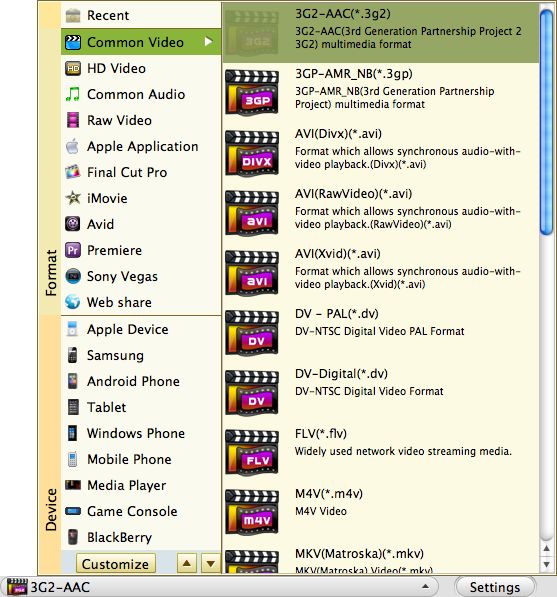
Edit RM video to DV with RM to DV converter for Mac
Click Trim next to Add, set starting time and ending time of RM video.
Click Edit next to Trim, then through Crop, you can set aspect ratio(full, original, 16:9,4:3)as you need, through Effect, you can adjust the brightness, contrast and saturation of RM video.
Click Setting next to drop down list, you can set Resolution, Bit Rate, Frame Rate and Encoder of video and Bit Rate, Sample Rate , Channels and Encoder of audio freely.
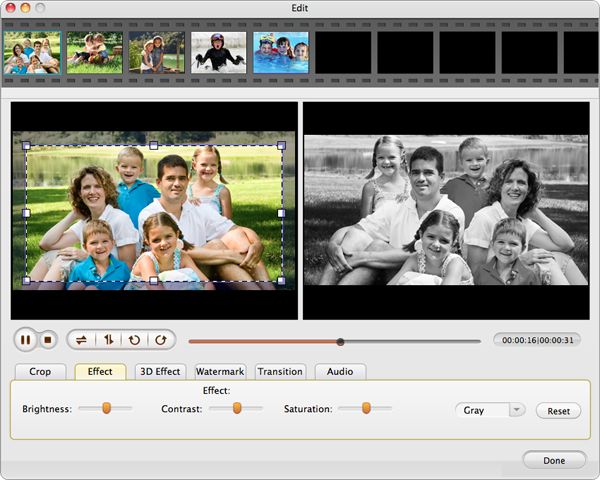
Convert RM video to DV with Mac RM to DV converter
Just click Convert on the left-bottom of the Mac RM to DV converter, it will finish the whole conversion with best quality and fast speed.