


Convert RM to SWF on Mac

How to convert realmedia .rm to Flash .swf on Mac OS?
If you get a video which ends with .rm, and want to upload them to your website or blog, you'd better convert RM to flash SWF for easy uploading. Do not think that is a tough job. With iOrgsoft RM Converter, this conversion can be easily completed, you only need to click your mouse three times, you can get the customize SWF files out from your RM videos.
RM Converter for Mac provides you a great chance to make flash video yourself while no codec work is needed. RM to swf
Converter for Mac enables you to convert your favorite rm/rmvb/ra files to swf, which is mostly used by video sharing website like YouTube, Hulu, etc. Rmvb converter for Mac also allows you to convert video to audio and store them as popular audio formats like mp3, flac, aac, m4a, etc. the powerful video editing capacity will you're your video making experience a impressive and pleasant one.
Secure Download
Secure Download
Step-by-step to convert RM to Flash .swf on Mac
Add your RM videos to the program
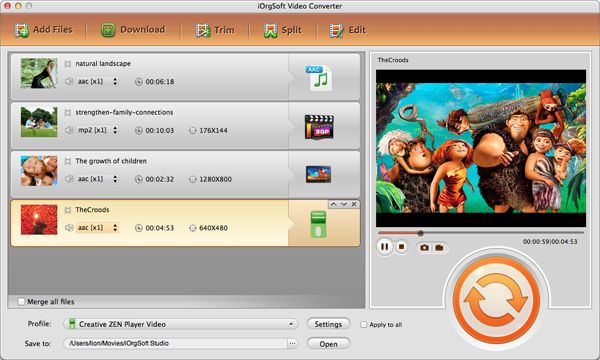
Both clicking Add Files and dragging your RM videos to the primary interface can import the RM videos to this software. You can add multiple files to this software as batch conversion is enabled. You can preview the items you added.
Select output format
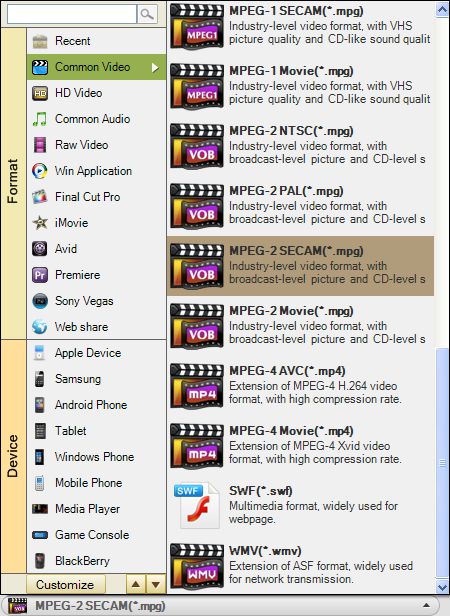
Click the Convert to box to open the format list, then go to the Common video category to find SWF profile, set it as output format.
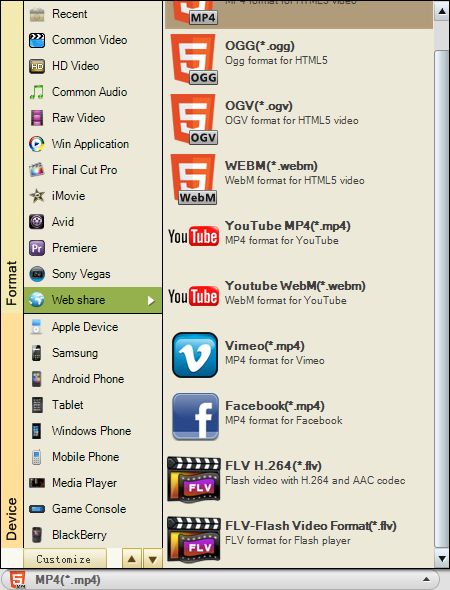
This program has preset many formats for uploading to webs, go to the Webs category, you will find HTML5, OGG, WebM, FLV, etc. You can also select an output format here.
Convert RM to SWF
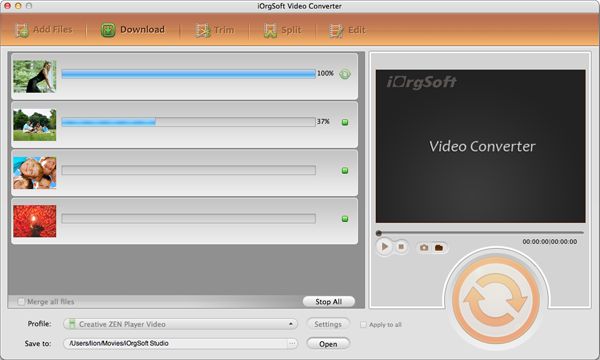
Click the Convert button to start converting RM videos to SWF format on Mac OS. The conversion will be automatically finished by this smart RM to SWF Converter. When the conversion over, open the folder following the message that pops up, then you can find the generated files. You make it!
What is swf?
SWF stands for "Small Web Format" and is pronounced "Swiff." Flash was originally developed by Macromedia, which was acquired by Adobe Systems in 2005. Therefore, Macromedia Flash is now called Adobe Flash. Animation created with Adobe Flash; may contain text as well as both vector and raster graphics; also may include interactive actions written in ActionScript; plays in Web browsers that have the Flash plug-in installed.



