Convert AVCHD MTS to MP4 (H.264) for Vimeo

How to upload AVCHD MTS video to Vimeo
Just like some popular video sharing website such as YouTube, Myspace, Vimeo plays an importing role in providing platform for communicating and exchanging between people. It allows people to upload, share and view videos. In a word,every registered member is able to access Vimeo and upload theirfavourite videos to it.
It is good to upload videos to Vimeo, but not all the videos can be uploaded to it. Some videos like Canon, Sony, Panasonic camcorder AVCHD MTS video can't be imported to Vimeo directly for there are some limitations, for example, the suggest video format is MP4 or H.264 with frame rate 24, 25 or 30fps, and resolution of 1080*720 or 640*480.
Therefore, to upload MTS to Vimeo, you'd better first convert MTS to MP4(H.264) with the right frame rate and resolution with a MTS Converter. Here, iOrgsoft MTS Converter for Mac can help you, it can best and fast convert AVCHD MTS to MP4, MOV, AVI, WMV, MPG, MP4, 3GP etc for uploading to Vimeo, YouTube, Myspace on OS X Mountain Lion.
Secure Download
Secure Download
Simple Steps to convert AVCHD MTS to MP4 (H.264) for Vimeo
Load MTS files
Click Add Files to MTS Converter Mac which is already installed on your Mac.
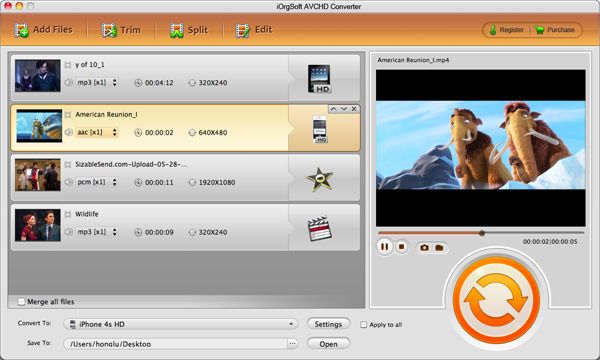
Output MTS to MP4 (H.264)
Click the drop-down list of Convert To to select Web share > Vimeo(*.mp4), and then, click the drop-down list of Save To to select a directory to save your converted files.
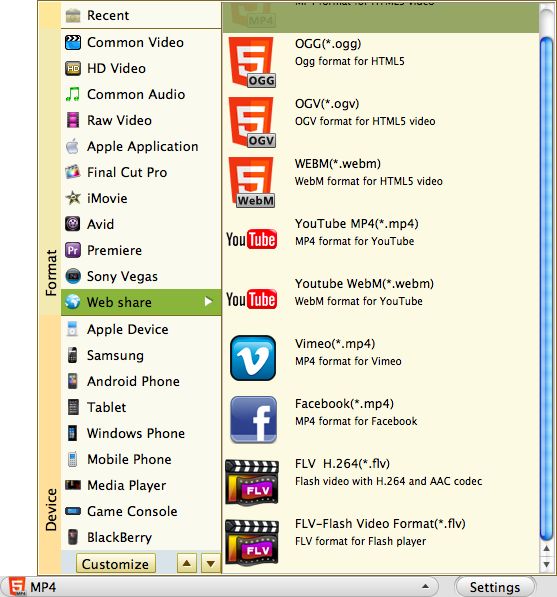
Convert MTS to Vimeo MP4 (H.264)
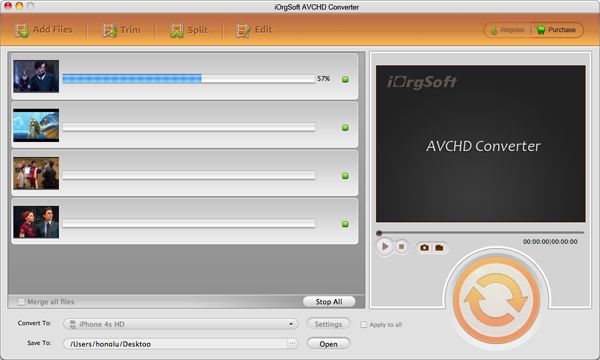
Click Convert to transcode MTS to Vimeo MP4 (H.264)
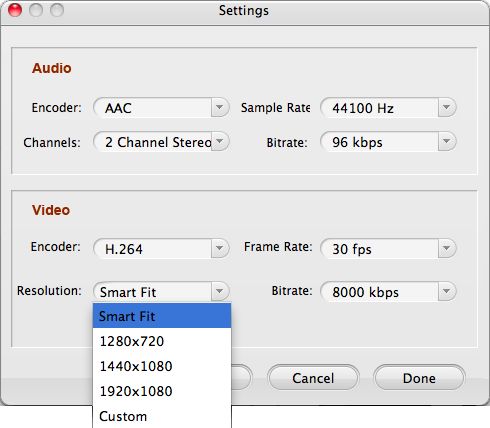
Optional: Output Video Settings
Click Settings beside the drop-down list of Convert To you can adjust video parameters like Encoder (set as H.264), Resolution (set as 1080*720 or 640*480) , Frame Rate (set as 24, 25 or 30fps) and Bitrate.