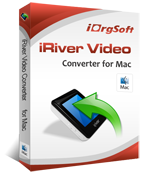
iRiver Video Converter for Mac
One of the reasons that iriver gains popularity so quickly is for its cd based mp3 player that deliveries excellent lossless audio quality. Some Iriver can play videos, provided they are converted to an appropriate format using PC software. But sometimes it’s a pain to transfer video clips through Mac OS.
iRiver video converter for mac is a state-of-the-art converter app used on Mac OS that enables you to convert various video and audio files for playback on iriver with fast speed and high output quality. Iriver video converter for Mac reads almost all popular video files and can convert them to wmv,avi or mpeg video that completely supported by video playable iriver.
iRiver converter for Mac can also convert between popular audios and convert a variety of audio files to mp3, wma that understandable by iriver mp3 player. The powerful Video editing capability within the iriver converter for mac gives you a fresh breathing experience, these includes crop, rotate, trim and capture view in frame, simply interesting and effective. iRiver Video Converter for Mac is best program you need to work on Mac OS X.
Note: This version is for Mac OS. If you are using Windows™, please click here.
iRiver video converter for mac is a state-of-the-art converter app used on Mac OS that enables you to convert various video and audio files for playback on iriver with fast speed and high output quality. Iriver video converter for Mac reads almost all popular video files and can convert them to wmv,avi or mpeg video that completely supported by video playable iriver.
iRiver converter for Mac can also convert between popular audios and convert a variety of audio files to mp3, wma that understandable by iriver mp3 player. The powerful Video editing capability within the iriver converter for mac gives you a fresh breathing experience, these includes crop, rotate, trim and capture view in frame, simply interesting and effective. iRiver Video Converter for Mac is best program you need to work on Mac OS X.
Note: This version is for Mac OS. If you are using Windows™, please click here.
Latest Version:
3.2.8
Fullsize:
7.08M
Language:
English
Platform:
Mac OS X v10.5 (no Windows OS support)
License Type:
Free to try, $29.95 to buy
Trial Limitation:
Watermark on output video.
Free Support:
Free Email Support offered to you: Mac iRiver Converter EMail Support Centre
Key functions:
Supprot formatsSupported Video file: MP4, MKV, AVI, RM, WMV, 3GP, MOV, VOB, MPG, MPEG2, ASF, FLV
Supported Audio file: MP3, M4A, AAC, WMA, AMR
Supported iriver mp3 playersiRiver U10, iRiver Clix, iRiver LPlayer, iRiver S10, iRiver X20, iRiver B20 , SIREN DP350, iRiver PMP - 100, etc
Extract Soundtracks and Images from Movies Convert video files to audio, save single frames as images, and store image as jpg, png or bmp.Batch conversion modeyou will be able to load as many video/audio files as you like at one time.
Video/audio editingTrim, crop, rotate video/audio
Use Gray, Old film, horizontal, vertical for further fine rendering setting.
Free of adware and spyware
Lifetime free update serviceTechnical Support
Tutorial: How to convert MPG, MOV, MP4, MKV, VOB, 3G2, 3GP to iRiver video, auido files with Mac iRiver Video Converter?
Technical Support Contact: iRiver Video Converter for Mac EMail Support Centre
System Requirements:
Processor: PowerPC® G5 or Intel® processor
OS Supported: Mac OS X v10.5
Hardware Requirements: 512MB RAM, Super VGA (800×600) resolution, 16-bit graphics card or higher


DVD to iRiver Converter