

Have you received some .rmvb extension files or downloaded podcasts/videos in .rmvb format, but cannot play them with Apple QuickTime, Windows Media Player for Mac saying that: "not supported" or "not readable" files? How do you solve that?
Owning RMVB Converter for Mac, you can enjoy .rmvb videos on any common video players. Only change .rmvb format to accepted one by your video player, e.g. Apple QuickTime, convert .rmvb to .mov, .mp4, .3gp, Windows Media Player for Mac, covert .rmvb to .avi, .mpg.
Secure Download
Secure Download
If you want make new video basically from RMVB video in iMovie, just convert RMVB files to MOV or MPEG-4 format, which are readable by iMovie.
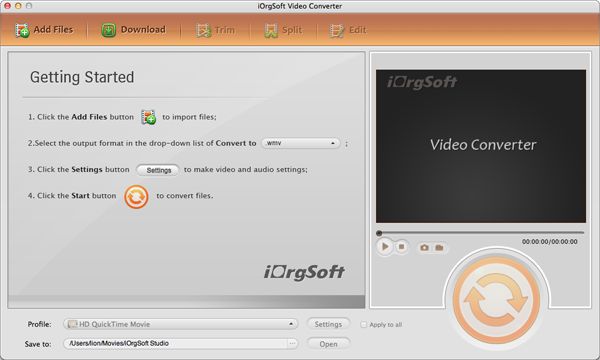
Step-by-step to convert RMVB to MOV/MPG/MPEG/MP4/M4V/DV/3GP/FLV/SWF/MP3/WAV/AAC on Mac
Load the .RMVB files from your local hard disk to RMVB Converter for Mac.
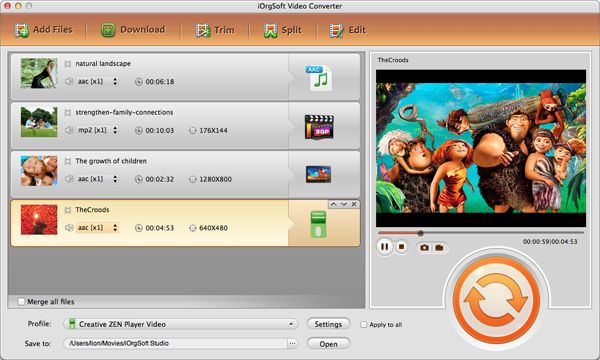
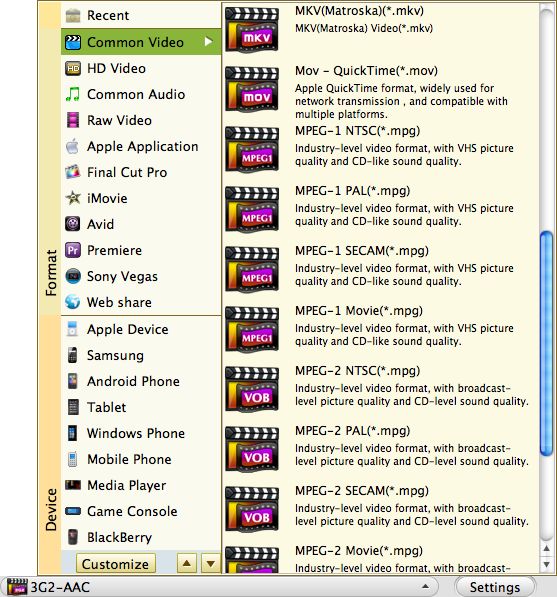
Select the MOV as output video format from the profile drop down menu, set the video and audio parameters by click "Settings" button next to profile box.
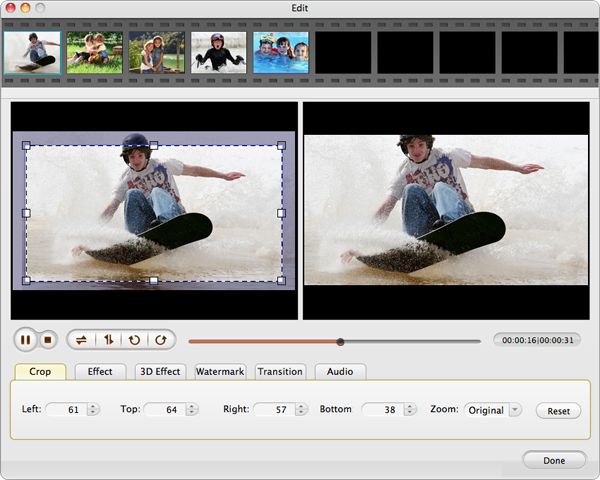
You can make simple change for RMVB video, like trimming, cropping, adding effects.
Hit "Convert" button, you'll get the new MOV files once it completes the progress of converting RMVB to MOV.
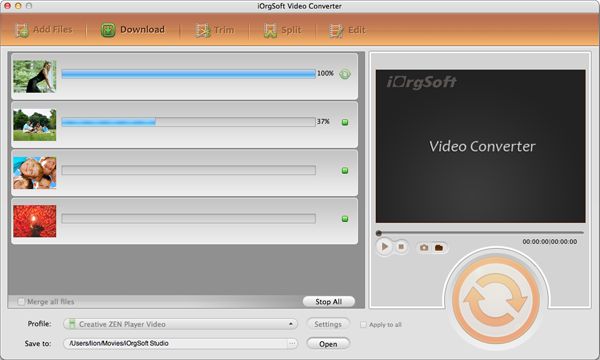
Related tutorials: How to convert RMVB to AVI, MPG, MPEG, MP4, WMV, MOV, 3GP, FLV, SWF, MP3, WAV, WMA, M4A, MP2, AAC, AC3 for Windows users?
$35.00
Easily and quickly convert from HD/SD videos to common video formats with no quality loss.


$39.99
Edit an array of videos with powerful editing functions and then make movies ready for sharing.
$99.95
Help play Flash SWF files without Adobe Flash Player on any device and app via simple conversion.




Terms & Conditions| Privacy| Sitemap| Contact Us| About Us| Affiliate| Newsletter| License Agreement| Uninstall
Browser compatibility : IE/Firefox/Chrome/Opera/Safari/Maxthon/Netscape
Copyright © 2007-2016 iOrgsoft Studio All Rights Reserved