
Why Choose iOrgsoft Audio Converter for Mac
Enjoying music is one of the most important and handy way to relax ourselves only if we get a phone now. But sometimes you may find some of your favorite music cannot be played on your phone because of the incompatible format, how can you solve this problem? Do not worry, iOrgsoft Audio Converter for Mac is designed to solve all these incompatible format issues, with it, you can convert various audio even audio to the formats your device supports with high quality at an ultra-fast converting speed.

- What can iOrgsoft Audio Converter for Mac do for you?
- Please click "Play" button to begin.
Reviews
- First I use this converter only to convert audio to audio, later I found it can even extract audio files from the videos, and the quality to the audios are good. This is really a cool function for people who love listening to drama, or news.
- - by Hindemith
- It's excellent. I convert the music to iPod for a better play on the device and the conversion are so fast. Later I found that supports extracting audio files from the videos. This is also a friendly function for it.
- - by Thibaud
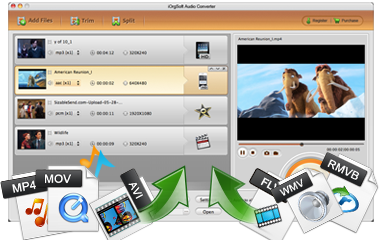
Support various audio and video formats
This Audio Converter for Mac is able to convert kinds of audio and video formats
Audio:
AMR, WAV, WMA, AAC, FLAC, MP3, WMA, M4A, MP2, AAC, AC3,etc
Video:
MP4, M4V, TS, RM, RMVB, WMV, ASF, MKV, AVI, MPG, MPEG, MPEG 2, VOB, DAT, 3GP, 3G2, FLV, SWF, MPV, MOD, TOD, etc
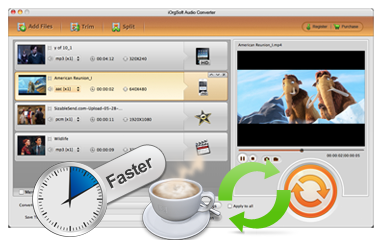
Fast speed, High output quality
In most conditions, we hope to get the music we love as soon as possible, but the software before always are slow to do the conversion. That time has gone! iOrgsoft Audio Converter Mac offers an ultra-fast converting speed to ensure you get your music in a quite short time.
Quality is most import when enjoy music, bad audio quality is useless to relax us. This program has solved the bad quality issue well. It can output audio up to 256kbps, which means, in most condition, it can remain the original quality.

Edit audio and video files
This program allows to edit the original video and audio files before conversion.
Trim video and audio: large file or those with unwanted parts in the original files can be removed by trimming. Split: Splitting is to split audio and video files average to several parts easily.
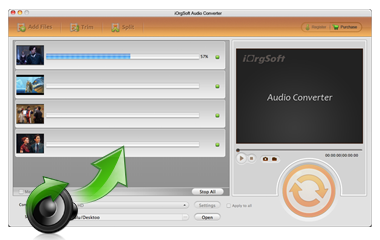
Batch conversion and easy to use
Batch conversion is a great and helpful feature, it allows to import and convert multiple files at one go, which will save time greatly.
In addition, the friendly user-interface has displayed all key functions, which can make everything easy to do.
iOrgsoft Audio Converter for Mac More Features

Merge files
It allows to join several files into a whole by simple click the "Merge all files"

Enjoy music everywhere
You can enjoy your favorite music on your portable devices everywhere by converting the original files to MP3 or other compatible formats.

Automatic Updates
This Audio Converter Mac will update itself when it detects the latest version.

Capture Screenshot
In-built image capturing app make it easy to capture image while play video with this Converter

Customize audio parameters
It lets you customize encoder, bit rate, sample rate, and audio channel manually.

Free lifetime support
Free technical support is available all the time via support@iorgsoft.com