
Why Choose iOrgsoft MOD Converter
As a camera video format, MOD is not so easy to edit or play directly on Windows and other devices. iOrgsoft MOD Converter is right the software to solve this incompatible format issue. It can easily convert MOD
footage to common video formats like MOV, DV, MPEG-2, MP4, H.264, MPEG-4, M4V, FLV, SWF, AVI, WMV, etc to put to different editing programs and devices.
With this MOD converter, all trouble watching or editing video because of compatibility will be over.
Reviews
- Before I use this software, I did not believe any video converter can convert MOD videos without quality loss, but this program, make it true. I use this program mainly to convert my camera mod files to windows movie maker to edit, it works well.
- - by Paul
- I buy this product in hope of converting my mod clips recorded by my camera to Windows, it works more than I expected. It can convert almost all video formats. Amazing!
- - by Emily
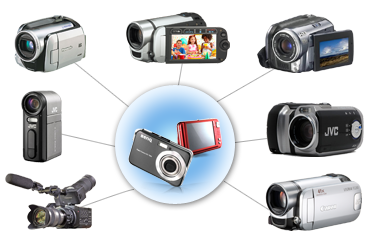
Support popular MOD cameras
All popular cameras those record vides in MOD formats are supported JVC: GZ-MC100, GZ-MC200, GZ-MG30, GZ-MG70, GZ-MG37, GZ-MG77 and more.
Panasonic: SV-AV100, SDR-S100, SDR-S150, SDR-S10, SDR-H18, SDR-H200 and more.
Canon: FS100, FS10, FS11, FS200, FS21, FS22, FS36, FS37, FS306 and more.
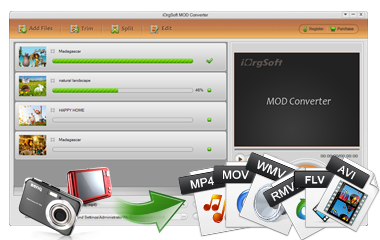
Convert MOD files to common formats
Every video format can find its place in the digital life. You may need to convert your MOD recordings to different formats for different uses. MOD video converter can help convert MOD files to avi, xvid, divx, wmv, mov, flv, 3gp, 3g2, mkv, rm, rmvb, mp4, mpeg-4, mpeg-2, mpeg, mpg, dv etc with fast conversion speed and HD quality.
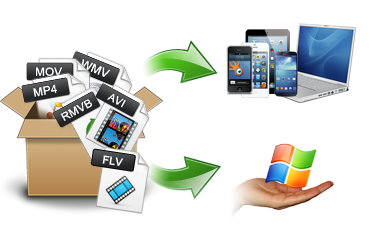
Enjoy videos Anywhere
Enjoy MOD videos on Windows and portable devices are easy now.
MOD Converter can convert MOD videos to WMV, AVI, MP4 to play on Windows with ease. In addition, it has presets optimized for all popular devices like iPhone 5, iPad mini, Samsung Galaxy S4, Galaxy Tab, etc.
which will facilitate those who do not know which format is best for the devices.
Other common videos like MKV, AVI,WMV,MOV, FLV, etc are supported to convert as well.
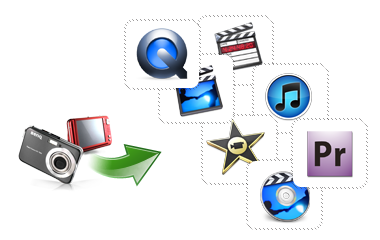
Import HD camera videos to Windows video editing apps
To make your recordings stylish and impressive, editing in some professional apps are necessary. But MOD is not so easy to edit directly. You may get trouble when editing such files. But now, things have changed, trouble editing your MOD recordings will be over once you get the MOD Converter. It can easily convert MOD videos to Windows Movie Maker, Sony Vegas Pro, Adobe Premiere Pro, etc for editing.
iOrgsoft MOD Converter More Features

Merge multiple files
It is able to join your video clips into a whole one, So that you can watch movie without pauses and gaps.

Share your MOD footage on web
Convert MOD videos to FLV,SWF, WebM etc to upload to web to YouTube, Facebook, Vimeo, etc. share with others online.

Automatic Updates
Automatic upgrade keeps your program up to date

Capture Screenshot
It allows you to capture the interesting moments of the video for sharing with others

Customize video parameters
This MOD Converter lets you customize video resolution, bitrate, frame rate, etc.

Edit HD movies
Flip, rotate, crop,clip, adjust video effect (brightness, saturation, contrast) apply special effect (Old film, Gray, Enboss) etc.