iOrgsoft

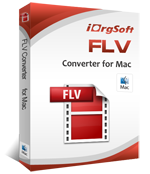
FLV Converter for Mac

Convert video to FLV, Convert FLV Video on Mac

FLV Converter for Mac is a ideal tool to convert, edit and play flv/f4v files from YouTube, MySpace, Hulu, Dailymotion etc video-sharing sites and upload video and audio in other popular formats to these metacafe freely online on Mac

  • Support convert flv and f4v video to mp4, mpeg, mpg, mov, avi, wmv, 3gp etc and extract audio from FLV video
  • Import flv video to to QuickTime, iTunes, iPod, iPad, iPhone, Blackberry, Mobile Phones, etc for playing
  • Bring flv footage to iMovie, FCP, FCE, Adobe Premiere Pro etc for further editing and take flv movie to iDVD for burning home DVDs on Mac

Free TrialPurchase

Size: 26.8MBPrice: $29.95

  • Key Features
  • Reference
  • System Requirements

Convert video and audio freely

FLV converter for Mac supports convert flv files to mov, avi, mp4, mpeg, wmv, 3gp, dv, swf, h.264, m4v, asf etc and extract audio from video and save as mp3, wma, ra, amr, mka, m4a, mp3, aac, wka, aiff, flac etc on Mac

Import Video to Multimedia Device

Import flv files to iPad, iPod, iPhone, Apple TV, PSP, BlackBerry, Creative Zen, iRiver, Zune, Plam, Epson media players, any cell phone, QuickTime, iMovie, iTunes, FCP, FCE, PPT, Adobe Premiere Pro, iDVD etc on Mac

Trim Video

Trim FLV Video by setting start and end point to define the playing length

Crop FLV Video

Define the cropping area to remove the unwanted parts and Different aspect ratio (16:9, 4:3, original, full screen) can be selected according to your specific need.

Add Video Effect

Change FLV Video Clip brightness, contrast, and saturation; special effect: gray, emboss, old film etc.

Set output parameter

Resolution, Frame Rate, Encoder and Bitrate of video, Sample Rate, Channel, Encoder and Bitrate of Audio
 
Output Devices Supported
iTouch, iPod, iPod nano, iPod classic, iPod shuffle, iPod touch, iPod video iPhone, iPhone 3G, iPhone 3GS, Apple TV Apple iPad PSP, PS3 General 3GP mobile phone, BlackBerry, etc. General MP4 players: Archos, Creative Zen, iRiver, etc.
Input File Formats Supported
Audio:AVCHD, M2TS, TS, TRP, MOD, TOD, AMV, MOV, WMV, 3GP, 3G2, VOB, MPG, SWF, FLV, AVI, DV, M4V, MP4, MKV, H.264/MPEG-4 AVC, DivX, XviD, RM, ASF, MPEG-1, MPEG-2, MPEG-4 Format
Video:MP3, WAV, AAC, AC3, MP2, FLAC, OGG, AIFF, MKA, RA, APE Format
Output File Formats Supported
VideoAVI, DIVX avi, XVID avi, Raw avi, MPEG-1, MPEG-2, MPEG-4, MP4 Format
AudioMP3, WAV, M4A Format
ImageBMP, JPEG, JPG, PNG
System Requirements
OSMAC OS X 10.4 or above operating system(include Mac OS X v10.5.7 Leopard and Mac OS X v10.6 Snow Leopard).
Processor1G Hz or above Intel® processor or PowerPC® G4, G5.
RAM256MB RAM (512MB or above recommended)
Free Hard Disk30MB space for installation
Graphic CardSuper VGA (800x600) resolution, 16-bit graphics card or higher
OthersDVD-ROM drive
Ready to try or buy?

Buy FLV Converter for Mac $29.95

Download FLV Converter for Mac 26.8MB

   I've been an artist my entire life. I'm really a huge fan of Easy Web Video.  

Phoebe Yerian

I wanna say

Awards