Why Choose iOrgsoft PDF to Flash Converter
iOrgsoft PDF to Flash Converter is a specially designed program for users to make flipbook out of Adobe PDF files. This program offers an easy and efficient solution to converting PDF files to Flash SWF files for better reading experience. In addition, it can generate an HTML document for you to share your flash through different browsers. To make flipbook can be very easy with this PDF to Flash Converter, and high quality output will provide you very good reading experience.

Reviews
Convert PDF to Flash
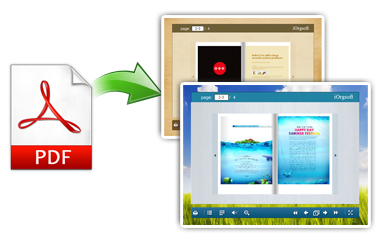
Making your own flipbook can be very easy now. iOrgsoft PDF to Flash Converter offers an very easy solution for you to create your personal flipbook out of PDF files. This program can help you convert Adobe PDF files to Flash SWF to make wonderful flipbooks. Your reading experience will be enhanced a lot as long as you get this PDF to Flash Converter.
In addition, after conversion, you can upload the SWF files to your own sites or blogs for sharing. You can share your own experience in a new way.
Customize Flipbooks
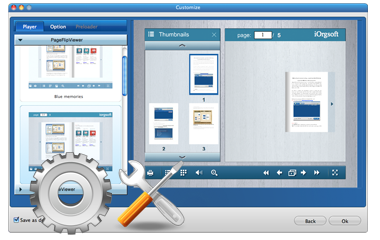
This program allows you to customize your flipbooks. Various flipbook styles are available. You can choose your favorite one to make your own flipbook. You can customize everything you can imagine such as background color and image, control button, navigation bar, book page, highlight text, hide sound and more.
Selective conversion is supported; you can select the pages you want to convert to Flash.
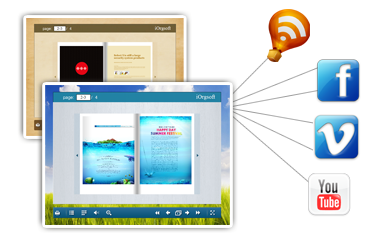
Publish PDF to Websites
This PDF to Flash converter can help you convert PDF to SWF for uploading to your own websites or blogs for sharing easily, making your PDF files show in a different and more interesting way.
In addition, while converting PDF to flash .swf, this tool also generates a HTML document, which is good for website uses.
iOrgsoft PDF to Flash Converter More Features

Batch conversion:
Supports to convert motile PDF files at one go

Easy to use
Intuitive interface to guide you use easily

Free support
Lifetime free update and technical support