


Import Flip Video into iMovie

How to import flip video to iMovie files on Mac OS?
If you recorded a few video clips with the Flip Mino or Flip Ultra , and when you tried to import the video files from flip video camcorder to into iMovie'08, only to find out that you couldn't. Apparently, you're not alone, because you'll find there are plenty of other people with the same problem.
Some Flip video camcorder will record video in mp4, but some in mpeg-4 formatted AVI files, the problem is iMovie won't recognize AVI, you will need to convert AVI to DV Stream before import into iMovie.
Fortunately, there is a simple yet effective way to work this out, check it out: Mac Flip video converter is a program specially designed to make Flip Mino and Flip Ultra work well with iMovie, iTunes and QuickTime. It can convert flip video to DV, m4v for iMovie, and convert flip video to QuickTime. mov for QiuickTime. Flip video converter for Mac is Mac friendly program, which is compatible with PowerPC and Intel Processor. You can count on it.
Secure Download
Secure Download
Step by step to import flip video to iMovie files on Mac OS X.
Download and install flip video converter for Mac
Flip video converter for Mac released its latest version 3.3.8 recently, and there are two folders included in the program, one is for Intel Processor, the other is for PowerPC, please choose wisely.
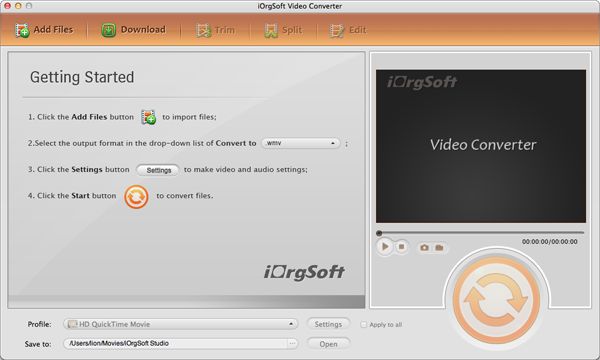
Import flip video to flip video converter
You will need to convert flip video files to DV or M4v that to be importable by iMovie.
If you have many video clips and want to load them at one time, just go ahead, the batch mode will let you do without any problem.
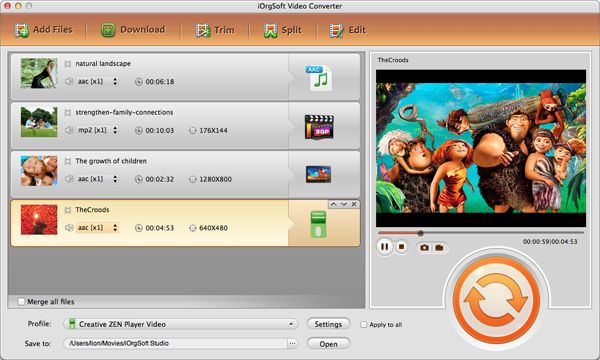
Select the output format and output path for the video need to convert
In your case, you can select .DV as the output format. On the bottom of the panel, select .dv in the drop down list menu next to Profile...
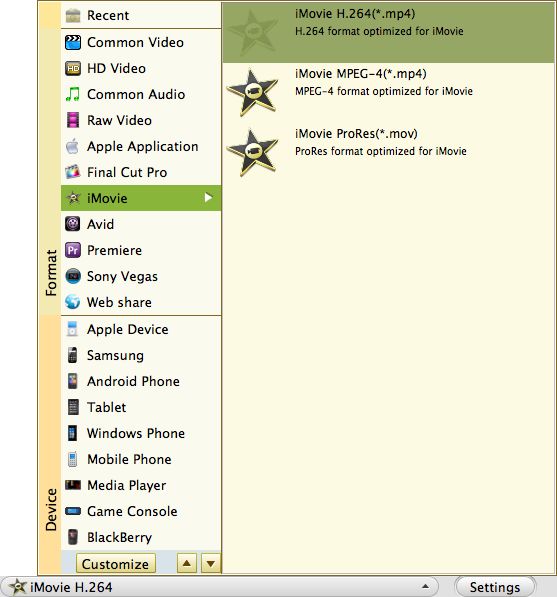
Select a location in the drop down menu next to Destination.
Click Open...button will let you directly locate where the output file is stored.
Convert flip video to iMovie compatible format
Hit Convert...button, this will instruct the program to convert the list of flip video immediately
Please wait patiently till the progress bar says conversion done.
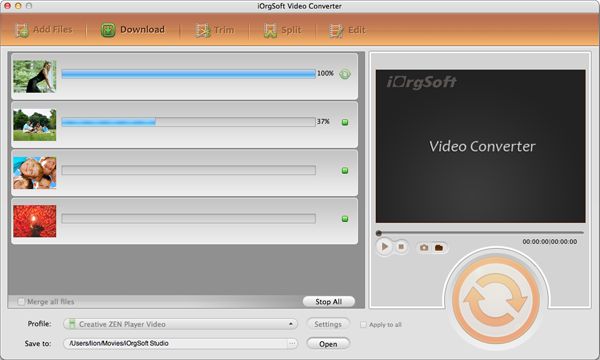
Import the converted flip video to iMovie
Now open up iMovie ‘08, and go to File > Import Movies, browse for them, and import to your heart's content. That's it!




