

Portable Camera Mate supports convert and import video from Portable Camera and Pure Digital flip camera to avi, wmv, mov, mpg, mpeg, mp4, 3gp, flv, dv, swf, m4v, hd video, Windows Movie Maker, Vegas, Blackberry Playbook, iPad, iPhone, iPod, DVD creator etc on Windows 7, vista, xp, 2000.
Secure Download
30 Day Money Back Guarantee
It's free, safe, clean and quick to download Portable Camera Mate onto your PC.
The program looks like below:
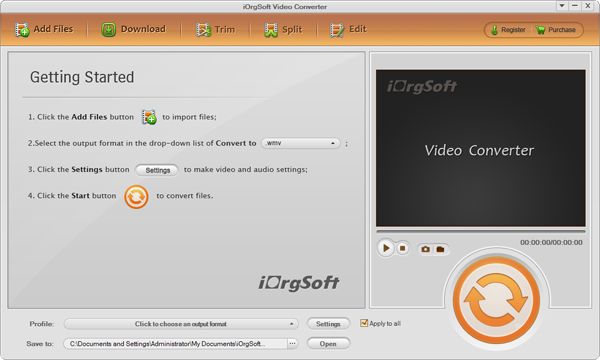
Click "Add Video" button, then it will open a window, please browse to your PC hard drive to load Portable Camera files, and click OK, files will be imported and listed on the program
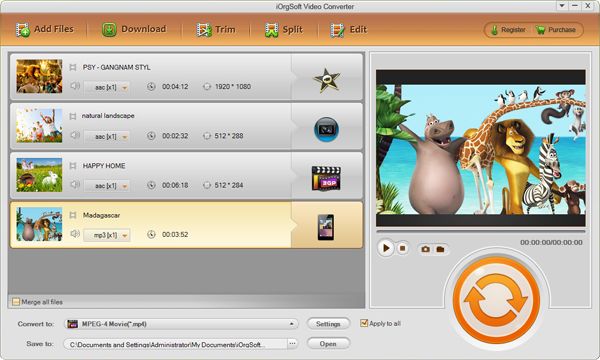
Click "Profile drop-down list", choose you wanted formats, like avi, flv, mpg, wmv, mov etc, them click output arrow to save to destination place.
For example: convert Flip video to wmv, you can just choose wmv as output formats.
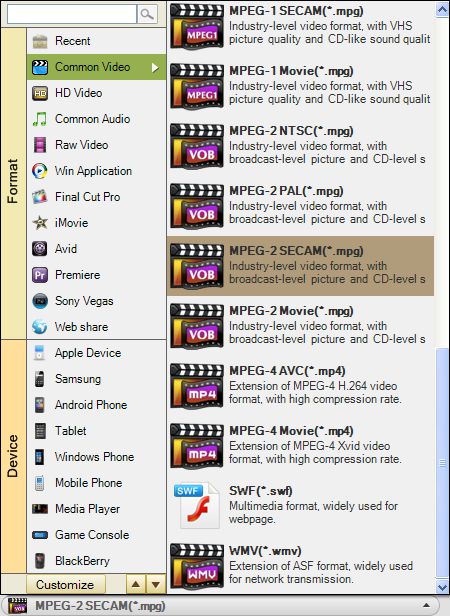
Step optional:Video Editing
1: Click "Edit"(you can crop and apply effect your avchd video).
click "Crop ", set aspect ratio, or select from zoom, original, full, 16:9, 4:3
Click "Effect", adjust brightness, contrast, and saturation; special effect: gray, emboss, old film etc
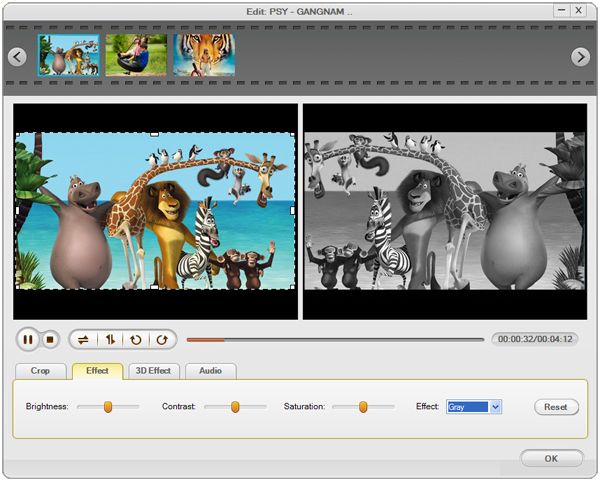
2: Cut out unwanted parts/frames
Hit Clip button from the left part of panel, you will see the window below:
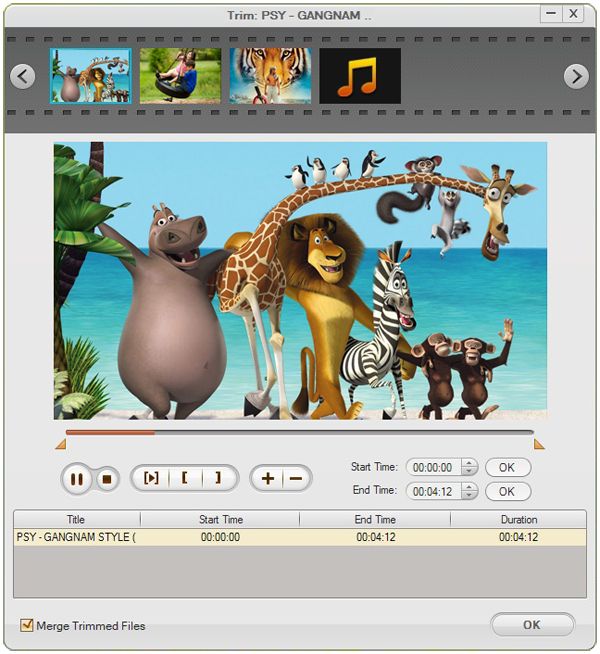
3: Click"Setting", adjust resolution, frame rate, encoder and bitrate of video, sample Rate, channel, encoder and bitrate of audio
Click"Start"to finish the whole progress with best quality and fast speed
That's all main steps, more you can just free trial.
$39.95
Make DVDs from common videos in formats like mp4, wmv, mkv, mov etc to DVD fast and easily.


$35.00
Convert MOD files to MP4, MKV, MOV, etc, play back MOD videos on iPad, iPhone, etc, and edit MOD.

$35.00
Easily and quickly convert AVCHD files to popular video formats without quality loss.




Terms & Conditions| Privacy| Sitemap| Contact Us| About Us| Affiliate| Newsletter| License Agreement| Uninstall
Browser compatibility : IE/Firefox/Chrome/Opera/Safari/Maxthon/Netscape
Copyright © 2007-2016 iOrgsoft Studio All Rights Reserved