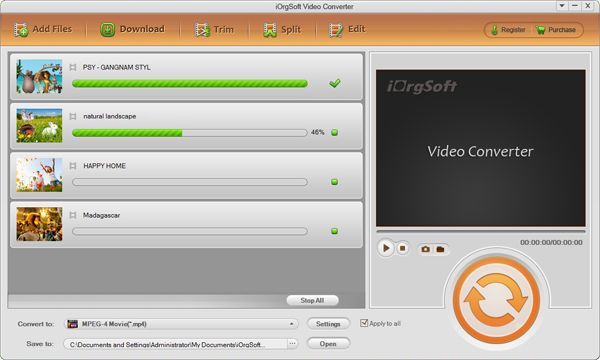
Convert ASF to BlackBerry

ASF (Advanced Streaming Format) is a digital video format developed by Microsoft, which is similar to the function performed by the QuickTime, AVI, or Ogg container formats. The .asf file can be opened by VLC or Windows Media Player. However, it’s not easy to watch .asf movie on BlackBerry devices.
To make ASF files compatible with BlackBerry, they are needed to BlackBerry-compatible file format like MP4. In the case, the ASF to BlackBerry Video Converter can be your excellent choice, which is featured with its intuitive interface. You can finish the conversion job within several mouse clicks. Plus, the application provides a variety of optimized presets for almost all BlackBerry models.
Secure Download
Secure Download
This article would show you how to convert ASF to BlackBerry on Windows OS:
Import .asf files into ASF to BlackBerry Video Converter
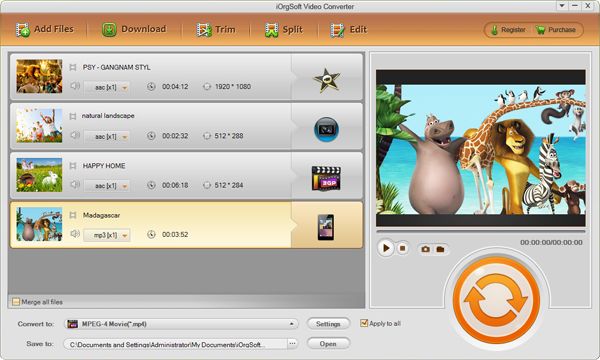
Download and install the BlackBerry Video Converter. Click "+" button to add .wmv file(s) into the program. The program can also support kinds of file formats like AVI, MKV, MPG, etc.
Trim video (if necessary)
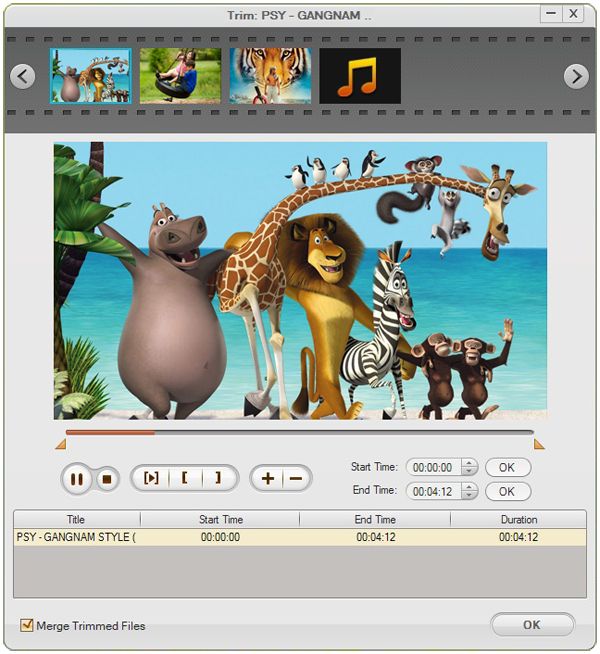
If desire to convert only a small segment of source file for BlackBerry, you can go on the step. Select "Trim", then you can type into the start time and end time to set trim information. Alternatively, click Add Mark button and two marks will appear. Move them to set the positions of starting and ending points.
Choose BlackBerry MP4 as output format
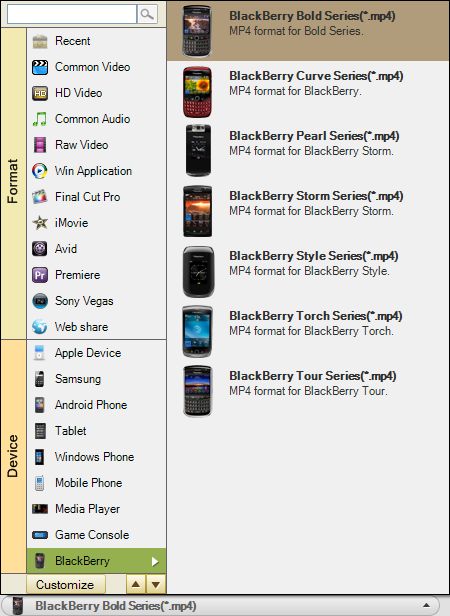
In the "Convert" panel, select BlackBerry MP4 as output file format under the "Profile" drop-down list. On the right section, you can further make settings to customize output video audio options like resolution, bit rate, etc.
Convert ASF to BlackBerry
Hit "Convert" button and let the BlackBerry Video Converter do the rest for you! The program is specially designed for Windows OS users. It works well with Windows 8, Windows 7, Window Vista and XP.