

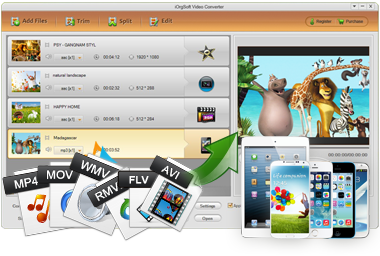
iOrgSoft MPEG Converter is a competent program that is able to convert MPEG format including MPEG-4, MPEG-2, MPEG-1 to other video formats like MP4, FLV, MOV, SWF, MKV, WMV, AVI, etc as well as to convert other videos to MPEG (MPEG-4, MPEG-2, MPEG-1).
Secure Download
Secure Download
T houghMPEG file is compatible with many media players like Windows Media Player, since MPEG differs in video codec, you might have problem on playing MPEG (MPEG-1, MPEG-2) videos on PSP, or PS3; you might have trouble watching TV shows or camcorder recorded videos clips in MPEG format on your portable devices like iPad, iPod, etc. So, at times, you may also want the need to convert MPEG file into some other format so as to play it smoothly on various platforms. So, you'll need iOrgSoft MPEG Converter.
| MPEG to iPad | You might have recorded some MPEG files with your camera or camcorder at a party and want to play them on iPad but found it failed. At this time, you'll need to convert those MPEG files to iPad best supported MP4, MOV. |
| MPEG to M4V | Some MPEG files like MPEG-1 files are not playable on Apple devices like iPad, Apple TV, iPod, iPhone and more. In this case, you can convert MPEG (MPEG-1) to M4V format which is workable on those Apple devices. |
| MPEG to iMovie | Troublining importing MPEG files from your camcorder into iMovie for further editing? You might as well convert your MPEG files to iMovie accepted format first (iMovie compatible file formats: DV, MOV, MP4, M4V, etc.) |
| MPEG to FLV | FLV is widely spread on the video sharing websites like YouTube, Myspace, etc. If you want to upload some MPEG files for sharing, you'd better convert MPEG to FLV first, which will make the uploading more smoothly. |
For some cases, you need to convert videos to MPEG format. For example, you need to convert MTS to MPEG for Window Media Player which plays MPEG files well but not MTS type. Or you might need to change amazing AVI videos in your camera to MPEG for further burning DVD or playback. Or you might want to make a VCD by yourself with some amazing videos like 3GP videos on your mobile phones and then you need to convert them to MPEG-1? That's where iOrgSoft MPEG Converter steps in.
| MTS to MPEG | MTS format is not incompatible with most devices. So, it's difficult to playback MTS files directly on most device, to edit them on editing software, etc. But, to convert MTS to MPEG (MPEG-4) is a good choice. |
| 3GP to MPEG | If you have shot some video clips in 3GP format with your mobile phone and want to play them on Windows Media Player or to make a VCD with them by yourself, you'd better convert 3GP to MPEG at first. |
| TOD to MPEG | Like MTS, TOD camcorde format is not easy to be played or edited by common applications like QuickTime, iMovie, FCP, etc. To better handle TOD fils with those commonly used apps, you can convert TOD to MPEG (MPEG-4). |
| AVI to MPEG Mac | Have downloaded some AVI files online and plan to burn them to DVD on Mac? You need to convert AVI to MPEG (MPEG-2) first then with iOrgSoft MPEG Converter which can compress AVI to MPEG-2 on Mac. |
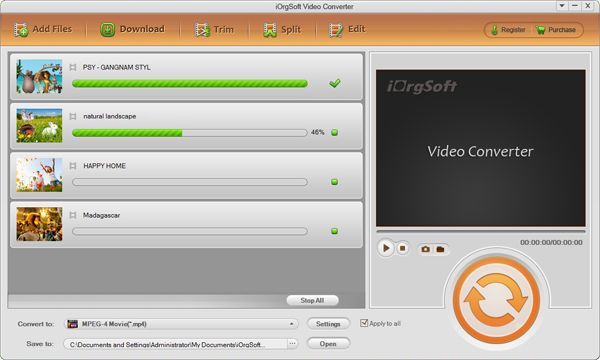
Launch the converter. And then import files. To import your local video files to this app for video conversion, you have two optional ways. One is to click the "Add Files" button to browse your computer to select and import your files. The Secord one is to directly drag and drop your local files from your file folder to the operating window of the program.
Batch conversion is available. And, you can check the "Merge" box to combine all files for getting a continuous video file.
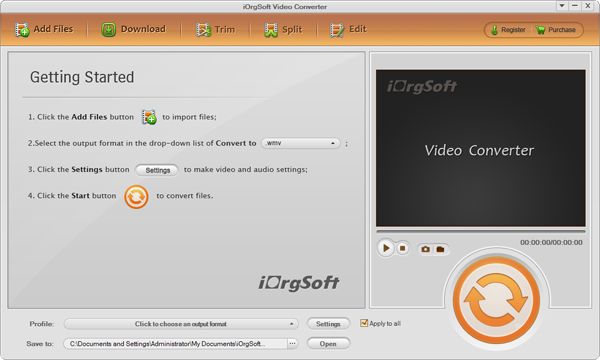
After you finish loading files, please set output formats for all files. You are allowed to choose output format for each file individually or you can check the "Apply to all" box to select and apply the same output format for all files.
Open the output format window by clicking the "Profile" option list or by hitting the format icon appearing next to the added file.
In order to make the output files 100% supported by certain devices or apps as well as to make the output selecting process easier, the directly-optimized pre-settings are strongly recommended. Instead of choosing from "Common video", you can choose from the "Device" category. So you don't worry about the video codec error.
After choosing the output format, please hit the "Settings" button to adjust output parameters including video resolution, frame rate, bit rate, audio sample rate, channels. And the quality of the conversion depends on many factors including the output parameters above as well as the restriction of the hardware. So, zero quality loss can't be promised.
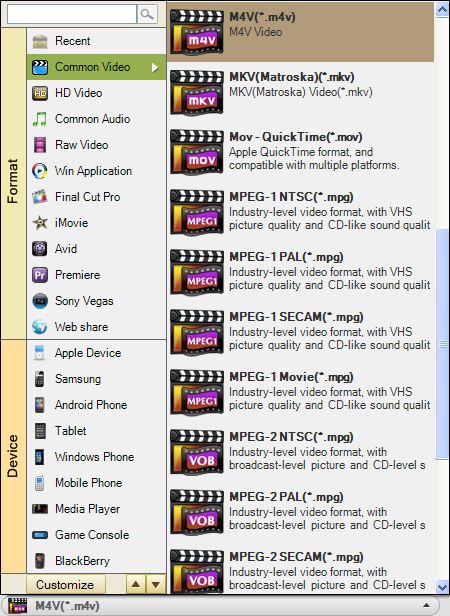
Optionally, you can not only adjust output setting, but also editing the files you've imported before starting conversion.
To extract only wanted parts from the entire file to convert, you can click "Trim" to achieve it.
To split the file into several smaller clips, you can split it according to duration or to clip numbers. To make it please press "Split".
To do more editing, please click the "Edit" button to achieve more including video cropping, video rotating, video flipping, video zooming, video effect adjustment (brightness, contrast, saturation), special effect (old film, gray, emboss), audio and video transition effect (fade in, fade out), 3D effect (Red/Blue, Green/Red, Yellow/Blue), and watermark (image or text type).
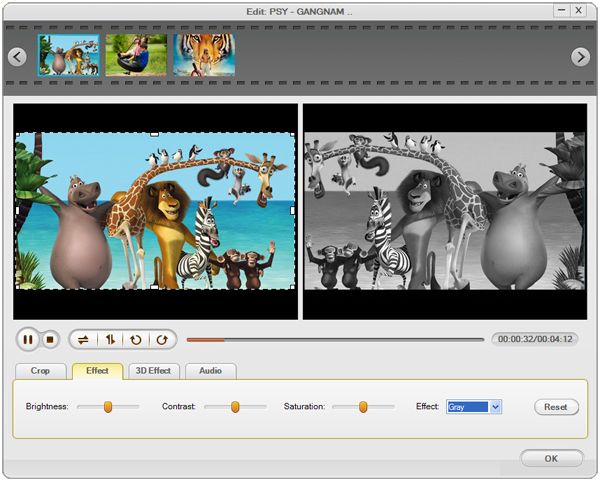
Click the Convert icon button to get the conversion started. You can monitor the progress by the green progress bar. The conversion time mainly depends on the video length, resolution and your computer performance.
When it is finished, you can find out where the output files are saved by clicking the button "Yes" to open folder when it asks you to. You can also set the output location from the "Save to" by yourself before conversion starts.
Secure Download
Secure Download




Terms & Conditions| Privacy| Sitemap| Contact Us| About Us| Affiliate| Newsletter| License Agreement| Uninstall
Browser compatibility : IE/Firefox/Chrome/Opera/Safari/Maxthon/Netscape
Copyright © 2007-2016 iOrgsoft Studio All Rights Reserved
