

Amazon Kindle Fire comes with a full-color 7-inch touch screen with 1024*600 resolution with IPS technology, which makes it a perfect in-hand video player. According to Wikipedia of Kindle Fire, it can only play HD MP4/H.264 format video files, if you want to play other popular videos on Kindle Fire freely, then you may need to convert it to the right formats that Kindle Fire supports first.
Read the follow Mac Kindle Fire Video Converter tutorial to learn the easy and efficient way to convert video to Kindle Fire with ease now.
Secure Download
Secure Download
1. Free download the Video to Kindle Fire converter for mac lion and install it in your computer.You may see the main interface.
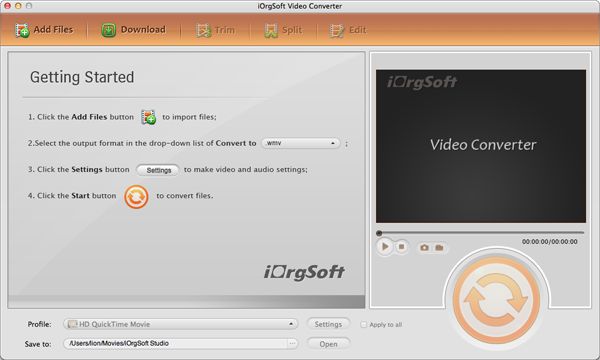
2. Import videos files by clicking "Add File" button, batch conversion supported. These loaded files will be shown in Name list.
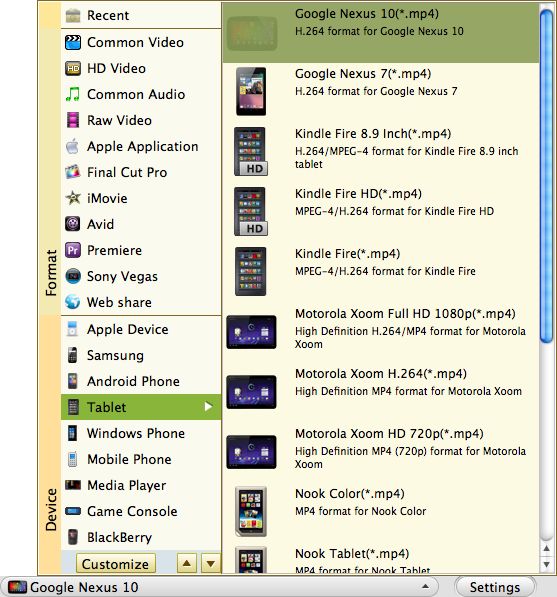
3. Click the "Profile" to Click the drop-down list of Profile to select a proper format that you want to convert to, you can choose "Kindle Fire".
Click "Destination" button to select destination folder where the converted files will be saved.
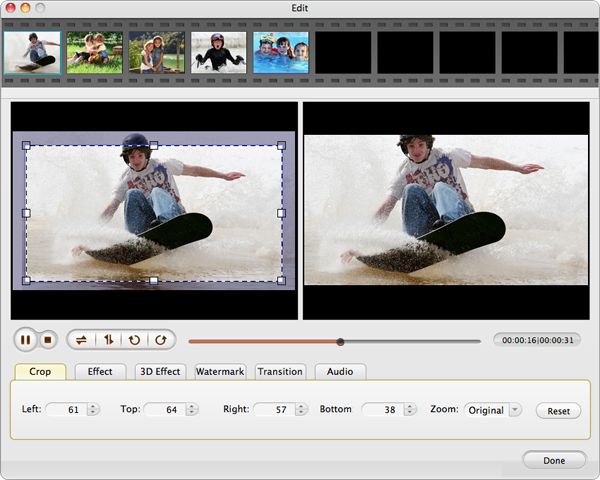
4. If you want to split the video or adjust video display, click "Edit" button to create a video you really want.
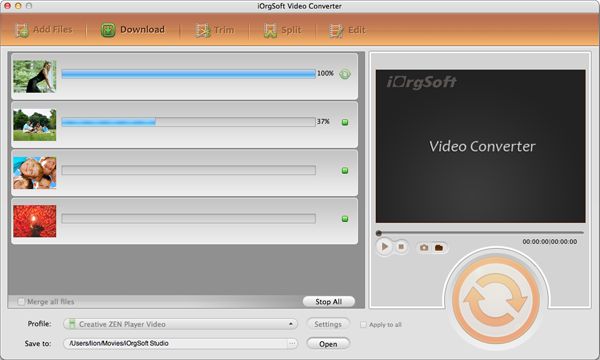
5. Start converting videos to Kindle Fire videos on mac os x lion by clicking button. You can see a progress bar which shows you the conversion status.
6. Transfer the output .mp4 file to Kindle Fire tablet via USB cable.
$35.00
Easily and quickly convert from HD/SD videos to common video formats with no quality loss.


$39.99
Edit an array of videos with powerful editing functions and then make movies ready for sharing.
$99.95
Help play Flash SWF files without Adobe Flash Player on any device and app via simple conversion.




Terms & Conditions| Privacy| Sitemap| Contact Us| About Us| Affiliate| Newsletter| License Agreement| Uninstall
Browser compatibility : IE/Firefox/Chrome/Opera/Safari/Maxthon/Netscape
Copyright © 2007-2016 iOrgsoft Studio All Rights Reserved