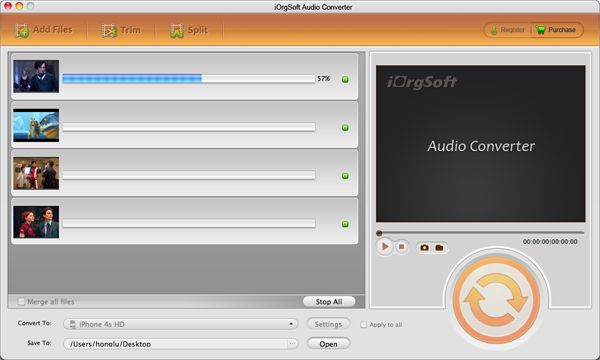
Extract audio from video files on Mac

How to extract audio from video files on Mac OS X?
SLUMDOG MILLIONAIRE has been one of my favorite movies, since the very first time I saw it. One of the things that makes the movie so enjoyable is its music. The music in Slumdog Millionaire is quite original and unique, You can not see this movie without being drawn to the music, because it is such a part of the movie. There are many scenes that are intense, and the intensity is brought out all the more by the music.
I am pretty sure you like it as well as i do and many other Academy awarded pictures. The sound and music in the background and vivid pictures are really something make us like it. Is there a way that allows us the EXTRACT SOUNDTRACk or AUDIO from the movie for playback on CD player or other mobile media players?
Well, it is a great idea think that way. just stay on the page below Video converter for MAC offers you a great solution to do that. video converter for Mac enables music lovers to collect as much audio/music info as they want from differnt video files.
Supported audio info:
Input Audio formats: MP3, WMA, AAC, WAV, FLAC,M4A, AC3, MP2
Output Audio formats: mp3, m4a, amr, wav, aac, ac3 ,aiff, flac, mka, wma ,mp2
Secure Download
Secure Download
Run Video converter for Mac...load video files
You are allowed to load as many video files as you can. the Batch conversion and sound extraction totally accept that action.
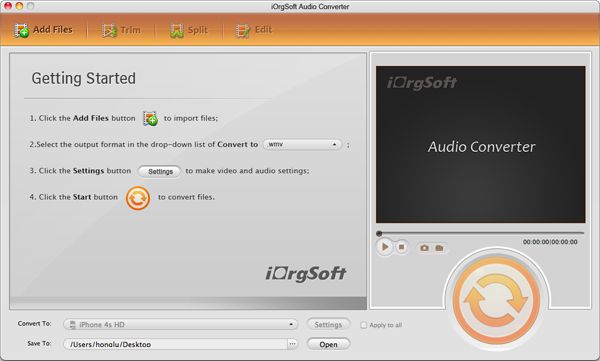
specify what audio format you need to output from the soucre video files
We provide almost all the audio formats listed on the Profile...pull down list. select a video then click start, the soudntract will then be extracted from it. you can also define which part video the audio will be extracted
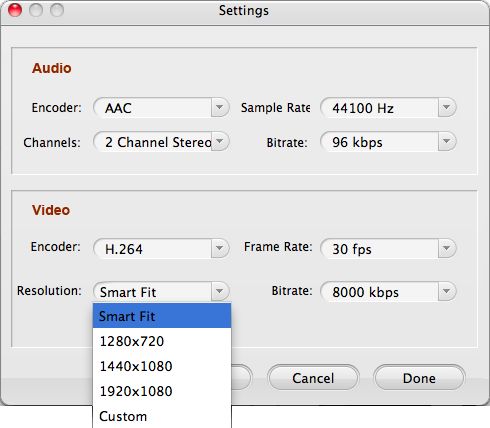
Convert one audio format to another one
If you need to convert one audio to a different one for your specific project, fine, check the profile list... choose a souce audio then click start, the audio will soonly be converted as you wish.