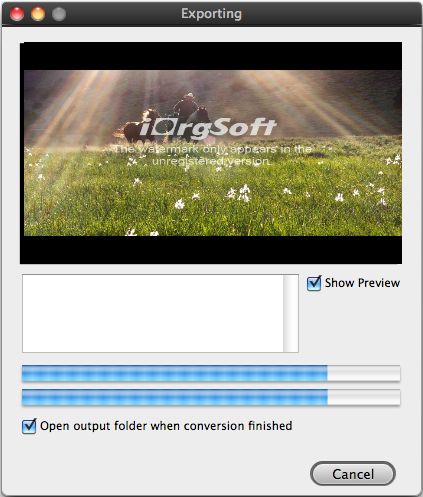
MP4 video files Editor for Mac

How to join/merge/combine MP4 files into one file on Mac?
MP4 file is most commonly used to store digital audio and digital video streams, but can also be used to store other data such as subtitles and still images. Like most modern container formats, MPEG-4 allows streaming over the internet.
Question: Join MP4 files into one MP4 file
"I have 2 parts of a movie converted, both MP4's and would like to join them to a single file. i have Quicktime Pro, but it seems when i combine the 2 files i have the option of saving as a .mov, which won't allow proper metadata info for iTunes. i have tried to export as mp4 but the "pass through" option is not available for some reason. I obviously don't want to reconvert it, just join the 2 existing files. I also tried visual hub using the pass-through option and "stich videos together", but it got stuck when combining the 2 videos. Can anyone suggest a quick and painless way to get this done?"
Secure Download
Secure Download
Solution: iOrgSoft MP4 Joiner for Mac is the best fastest Mac video Joiner software program for joining several MP4 files into one bigger MP4 format on Mac OS and turn them into professional movies you can share.
Besides join MP4 files, You can join/merge/combine AVI, MPEG, WMV, DIVX, XVID, VOB, MPG, 3GP, FLV, RM, MOV, M4V and any other video formats together, you can join multiple video files into one large file and export to AVI, MPEG, WMV, RM, MP4 format.
iOrgSoft Mac MP4 joiner is also a video editor that will allow you to customize your video joins by adding effects such as fade-in and fade-out transitions. Additionally, you may also edit your video's bitrate, frame rate, and video and audio qualities such as aspect ratio in order to create the perfect video. The program also comes with its own built-in player that will in turn provide a very fine experience in video joining on Mac OS.
Tutorial: How to join/merge/combine MP4 video files using MP4 Joiner for Mac?
Free Download and run MP4 joiner for mac software
It's clearly free and absolutely safe to install and run iOrgSoft MP4 joiner for mac After running it, you will see the main interface.
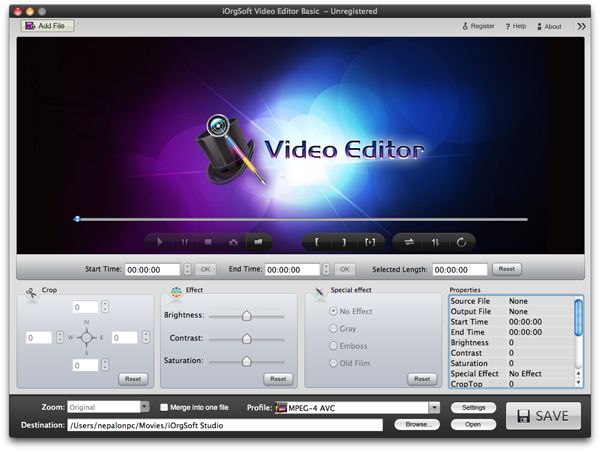
Click "Add" to import MP4 files.
Click on "Add" button, it will open a window, browse the MP4 files you wish to Join/combine. Click open. You can select several files at the same time to import.
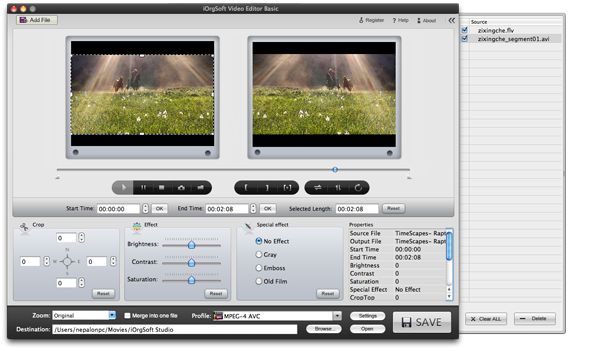
Set output format and output path
Select an output format in the drop-down list next to "Profile" filed. Setup the directory to store the joined video in the "Destination" filed on the bottom.
Join MP4 files into one file
Check "Merge into one file" option to join/merge/combine MP4 files in file list, then click the bended arrow button to start joining.
Click big "Start" button at the bottom of the Window
Start to join/merge/combine several MP4 files into one file, then Click "Open" on the bottom middle to find the joined movie files.