How to convert .rmvb to QuickTime .mov files on Mac OS?
Have you received some .rmvb extension files or downloaded podcasts/videos in .rmvb format, but cannot play them with Apple QuickTime, Windows Media Player for Mac saying that: "not supported" or "not readable" files? How do you solve that?
RMVB to AVI converter for mac enables you to convert the *rmvb file in almost all popular format with swift speed and the best output quality, the videos can be in mov, mp4, avi, mpg, flv, wmv, swf and m4v formats. Besides, Rmvb converter for Mac supports only to rip the audio data from RMVB video and convert to MP3, Flac, AAC, M4A and WMA audio files. There is no doubt all your portable device will benefit on this tool.

You may have loads of video clips in rmvb/rm file extension; have you ever felt that they are just so different that many other players are not able to recognize them? RMVB to AVI converter for Mac can turn rmvb/rm file to avi and a variety of other friendly video format like mpg, mp4, mov, flv. Rmvb to avi converter for Mac is suitable for both novice and pro alike Mac users, the user-friendly interface and easy-to-use deign make you like it and make your project a great success.
Note: This tutorial is only for Mac OS X user. If you are using Windows™, you can use this guides.
Pleases read through the tutorial below on how to convert .rmvb to Windows Media Player .avi?
Step 1: Import RMVB files
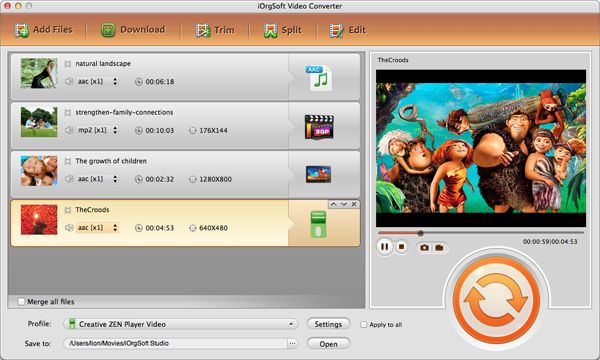
Load the .RMVB files from your local hard disk to RMVB Converter for Mac.

Step 2: Export to AVI format
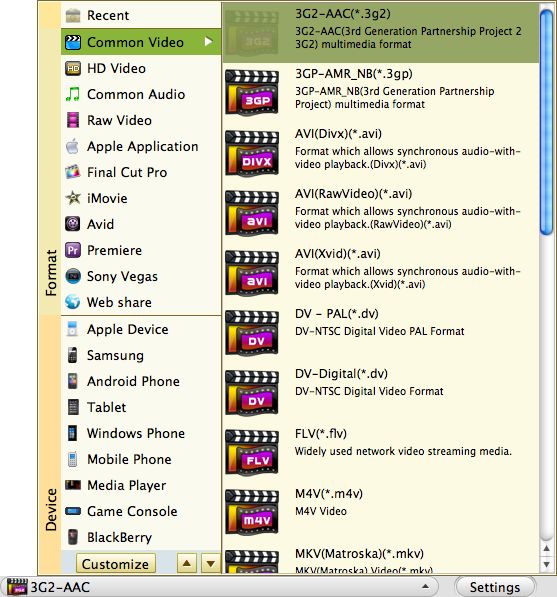
Select the AVI as output video format from the profile drop down menu, set the video and audio parameters by click "Settings" button next to profile box.

Step 3: Video Editing
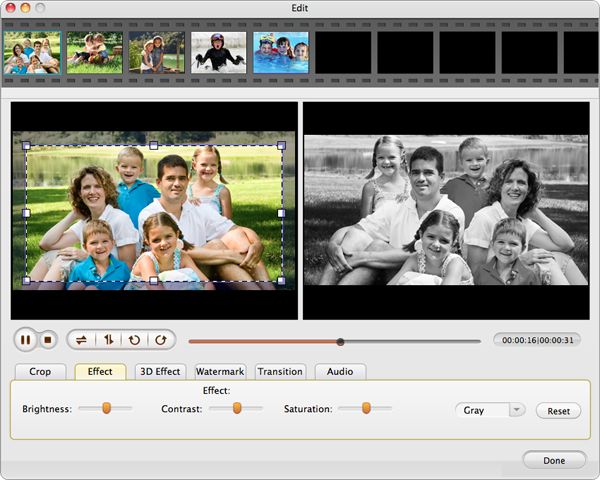
You can make simple change for RMVB video, like trimming, cropping, adding effects.

Step 4: Convert RMVB to AVI
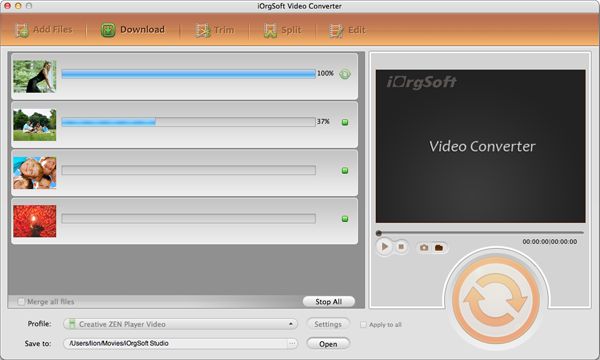
Hit "Convert" button, you’ll get the new avi files once it completes the progress of converting RMVB to AVI.

RMVB to AVI converter for mac enables you to convert the *rmvb file in almost all popular format with swift speed and the best output quality, the videos can be in mov, mp4, avi, mpg, flv, wmv, swf and m4v formats. Besides, Rmvb converter for Mac supports only to rip the audio data from RMVB video and convert to MP3, Flac, AAC, M4A and WMA audio files. There is no doubt all your portable device will benefit on this tool.

You may have loads of video clips in rmvb/rm file extension; have you ever felt that they are just so different that many other players are not able to recognize them? RMVB to AVI converter for Mac can turn rmvb/rm file to avi and a variety of other friendly video format like mpg, mp4, mov, flv. Rmvb to avi converter for Mac is suitable for both novice and pro alike Mac users, the user-friendly interface and easy-to-use deign make you like it and make your project a great success.
Note: This tutorial is only for Mac OS X user. If you are using Windows™, you can use this guides.
Pleases read through the tutorial below on how to convert .rmvb to Windows Media Player .avi?
Step 1: Import RMVB files
Load the .RMVB files from your local hard disk to RMVB Converter for Mac.

Step 2: Export to AVI format
Select the AVI as output video format from the profile drop down menu, set the video and audio parameters by click "Settings" button next to profile box.

Step 3: Video Editing
You can make simple change for RMVB video, like trimming, cropping, adding effects.

Step 4: Convert RMVB to AVI
Hit "Convert" button, you’ll get the new avi files once it completes the progress of converting RMVB to AVI.

Related tutorials: How to convert rmvb to avi, mpg, mp4, m4v, dv, 3g2, 3gp, avi(Divx, Xivd), flv, mkv, swf, wmv on Mac OS X?

Movie Converter for Mac