


MOV to WAV Converter

Have collected lots of MOV movies with impressed background music. Now, want to make them as ringtone or play them back on music player such as iPod Shuffle. Here, I would like to highly recommend a wonderful audio converter-iOrgSoft MOV to WAV Converter, which can flawlessly extract almost any video file format like MOV, MP4, MPG to WAV file format for audio playback. After finishing the conversion, you can easily sync the output .wav file to wav-supported music players. The PC version can only run on Windows OS. If you are running on Mac OS, please refer to its Mac version of Mac MOV to WAV Converter. Now, follow the steps to do the conversion.
Make preparation: Download the right version of MOV to WAV Audio Converter or Audio Converter for Mac.
Secure Download
Secure Download
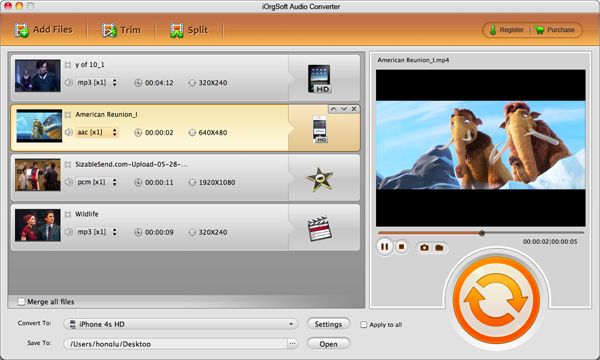
Load .mov video
Install and run the WAV Audio Converter. Click "Load File" to import one or several .mov video file(s) into the program.
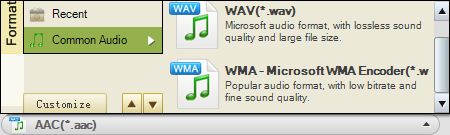
Set the desired output audio format
Choose "WAV" as output file format in the drop-down list of "Format". In the interface, you can also change the folder to save the output file by setting the "Output" menu. Actually, the application can also support other audio file format as output, such as WMA, MP3, MP2 and more. Select the most favorable format.
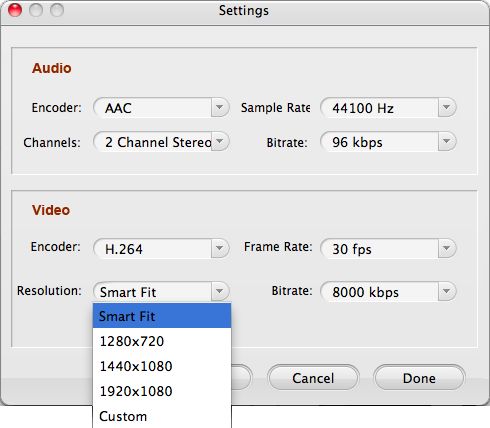
Do video or audio parameter settings (if needed)
Click "Settings" button next to "Format". Then the advanced setting window would pop up, you can select the desired value for Sample Rate, Bitrate and Channels. You can also edit the Artist, Title info there.
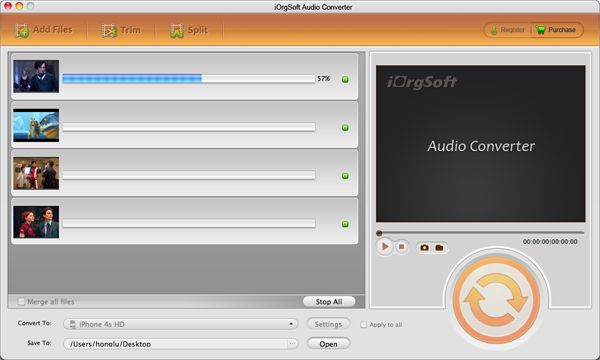
Step 4: Run the MOV to WAV audio conversion
Hit "Start" button to launch the audio conversion. The conversion will be completed in seconds. On accomplishing the conversion, you can access to the output .wav file by default and enjoy your music time on the go.
Related Articles
- Canon PowerShot SX130IS MOV Video Converter
- MOV to Video Converter
- How to Convert QuickTime MOV to Windows DVD Maker
- How to Convert 3G2 to WAV on Mac and Windows (Windows 8 included)
- RMVB to WAV Converter
- iOrgsoft WAV Converter
- AVI to WAV Converter
- How to easily convert 3GP to WAV with 3GP to WAV Converter



