

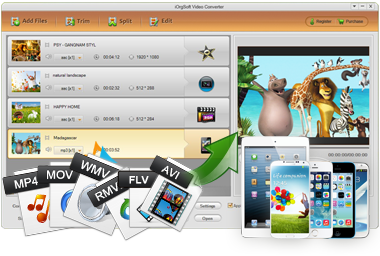
iOrgsoft iPhone Video Converter is an all-in-one software to convert any videos/audios like AVI, RM, WMV, MOV, MP4, VOB, FLV to iPhone, including iPhone 5s/5c/5, supported formats.
Secure Download
Secure Download
As an iPhone user, you must have noticed that though iPhone's video playback feature is splendid, its supported video formats are very limited and thus many popular/interesting videos are not able to be played by it since the format compatibility problems:
| MKV to iPhone | iPhone does not support MKV format - popular format for saving popular HD movies, TV episodes, animes, etc. To play MKV in iPhone 5s/5, you need video conversion. |
| MOV to iPhone | iPhone can play some MOV videos, but you will need to convert MOV to iPhone supported format if the MOV file includes codecs that iPhone does not recognize. |
| Tivo to iPhone | If you want to play Tivo recordings (TV shows) in iPhone, you need to convert Tivo to iPhone MP4. |
| YouTube to iPhone | iPhone Video Converter can help you directly download videos from YouTube and convert them to iPhone supported formats like MP4. |
Actually, iOrgsoft iPhone Video Converter is a lot more than simply a format converter. It is integrated with many great features like video editing, video downloading, etc, making it an all-in-one and versatile progam for iPhone.
| Video Conversion | Convert virtually all popular videos in any formats like MP4, AVI, MOV, MKV, FLV, etc. to iPhone 5s/5c/5/4s/4 |
| Audio Conversion | Extract audios from videos or directly convert audios to iPhone-friendly audio formats like MP3 & AAC |
| Video Editing | Trim, crop, split, rotate, flip, merge, watermark videos; apply special effects, volume control, advanced settings, etc. |
| Video Downloading | Directly download Web videos from 150+ video-sharing sites including YouTube, Vimeo, TED, Facebook, Metacafe, VEVO and more |
| Metadata Retrieval | Automatically retrieve or manually add/edit video metadata for better iTunes library management. |
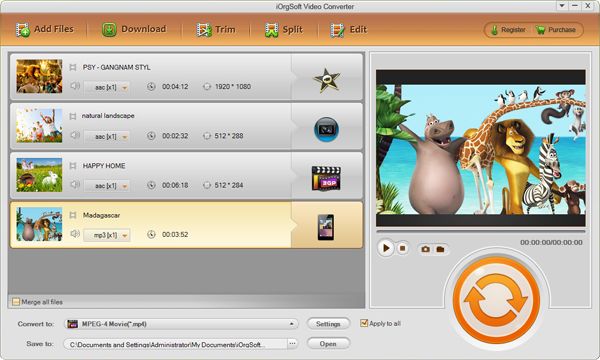
Click "Add Files" button. In the window opened, select the files you need from the hard disk and click open. You can also directly drag and drop the selected videos onto the main interface.
Hit the "Convert to" menu bar, locate to the "Apple Device" tray and choose the iPhone (iPhone 5s, 5c, 5, etc) preset as per you need.
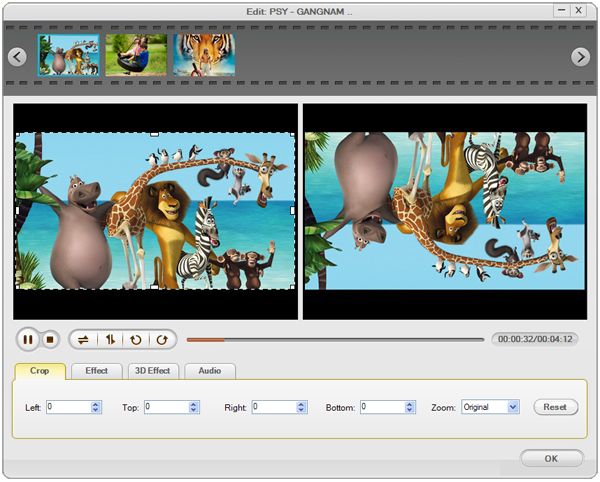
Optionally, you can edit the videos before imported to your iPhone. To do so, click the "Edit" button to open the edit window.
For example, in the "Crop" tab, you can drag the dashed frame in the preview window to crop the unwanted area like the black bars. Besides, there are four crop values on the lower left part of the crop window: Up, Down, Left and right. You can set each value to fine tune the crop area.
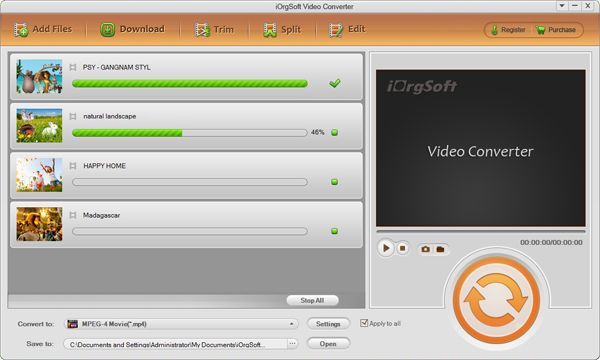
After setting up all the conversion parameters, click the "Start" in right corner of the window to start conversion. In the conversion window, you can view the conversion progress from the progress bar. You can also cancel the conversion at anytime you want.
When the conversion is finished, you can easily import the converted files to your iPhone without any hassle. Enjoy it!
Secure Download
Secure Download




Terms & Conditions| Privacy| Sitemap| Contact Us| About Us| Affiliate| Newsletter| License Agreement| Uninstall
Browser compatibility : IE/Firefox/Chrome/Opera/Safari/Maxthon/Netscape
Copyright © 2007-2016 iOrgsoft Studio All Rights Reserved
