


How to Convert/Import/Put Kodak Video to iPad, iPod, iPhone on Windows

Problem you might encounter
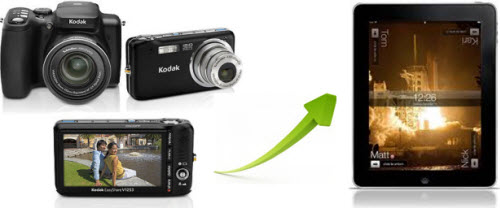
You are so glad that you finally got a new Kodak Zi8, and shot interesting videos with it. However, when you import them to iPad for enjoy on-the-go, it just failed and made you so frustrated.
What's wrong?
Here is the point. Kodak Camera records video in MOV format, while iPad only supports MPEG-4, H.264. Seems impossible to import Kodak video to iPad for playback? Of course not. As long as you have iOrgsoft Kodak video to iPad converter , which capable of converting Kodak MOV to iPad MP4, you will be able to enjoy your Kodak video on iPad, or iPod, iPhone, whenever you want.
Secure Download
Secure Download
Kodak video to iPad converter as a solution
No matter which kind of Kodak camera you own, Kodak Zi6, Kodak Zi8, Kodak Playsport, Kodak Zx1 or Kodak Playsport Zx3, no matter which kind of iPad you have, iPad Wi-Fi, iPad Wi-Fi + 3G, iPad 16GB, iPad 32GB or iPad 64GB, with this Kodak video to iPad converter in your hand, the conversion problem no longer exists, and you can convert bunch of Kodak videos to iPad format just with several mouse clicks.
More than a Kodak video to iPad converter
To your great surprise, this Kodak video to iPad converter, is not just for Kodak users. You can convert any popular formats to iPad, iPod, iPhone, Apple TV, etc., including AVCHD, M2TS, TS, TRP, MOD, TOD , AMV, MOV, WMV, 3GP, 3G2, VOB, MPG, FLV, AVI, DV, M4V, MP4, MKV, H.264/MPEG-4 AVC, DivX, XviD, RM , ASF formats, which means that you can not only convert Kodak video to iPad, iPod, iPhone, Apple TV, but also can convert and import videos that shot by Flip camera, Canon, Panasonic, Sony, JVC, etc. camcorders, videos/movies from YouTube or other websites to iPad and other Apple devices.
Why not just free download this amazing iPad video converter and give it a shot?
Guide on how to convert Kodak video to iPad
Load Kodak videos
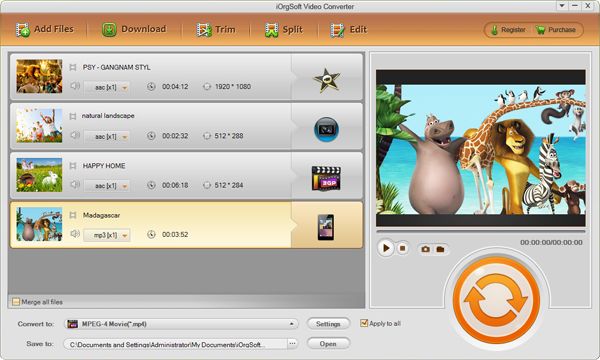
Click Add File button to load Kodak videos to Kodak video to iPad converter, batch conversion is supported.
Set output format and folder
Select one of the iPad supported formats from the drop-down list of "Profile" as output format, and then click the folder icon to choose a folder to save converted files.
Start conversion
Click the big green button to start the Kodak video to iPad conversion.
Related Articles
- Compare Kodak Zi8, Sony bloggie and Flip
- Kodak Playsport/Zi8 video converter
- Play/view/watch Kodak video on Windows Media Player
- Top 10 Apple iPad FAQ
- Top 10 Best Halloween Apps for iPad
- Top 10 iPad Apps to Save Your Money
- Top 10 Best Free Applications for iPad
- Convert Flip Video files to iPad files



