


Convert RM to AVI on Mac

Convert Video Format from RMVB or RM to AVI in Apple Mac
How to convert RM to AVI/DivX/Xvid/MPEG1/MPEG2/MP4/MOV/DV for editing and play in mac os x?
Question : how to convert .rm files to avi, mov,mp4,dv for editing and playback in quicktime/itunes/imovie09?
It is quite a strange thing that some people already discard the whole idea of RM to AVI converting as trash, when others get trouble and feel a pang that Mac suites(QuickTime player or iTunes) can't play their treasured RM/RMVB files, so their problem is how to convert rm video for playback in Apple Mac OS X version10.4/10.5/10.6?
Solution : Install RM to avi converter for mac.
The best solution I have found so far for convert RM video to AVI Mac is to use a program called RM to AVI converter for mac. It's a RM converter to convert RealNetwork RM/RMVB file format to avi, convert rm to mpeg, convert rm to wmv, convert rm to mov, convert rm to mp4, convert RM to DV, convert RM to imovie09, convert RM to quicktime player,convert RM to itunes for editing and play in mac apps.
Secure Download
Secure Download
If you want to watch your RealPlayer Video(.RM/RMVB) files on your Mac AVI player, like Creative Zen, iRiver etc, you can use this RM to AVI converter for mac, even don't have RealPlayer installed.
Free download RM to avi Converter for mac and use it as RM to mp3 converter on mac.
Besides being able to convert RealMedia(*.RM,*.RMVB) files to AVI, DivX, Xvid, MPEG1, MPEG2, MP4,MOV,DV files, this mac RM video converter software can convert RM to MP3 and other audio formats such as AAC,WAV,AAC,AC3,etc.
RM to avi converter mac is very easy to use. It supports preview,change the video bitrate, audio bitrate, framerate, batch conversion, etc as you like.
As for RM:
RealMedia is a multimedia container format created by RealNetworks. Its extension is "rm".
How to convert .rm to .avi for use in Mac apps?
Free download RM to avi converter mac and run it
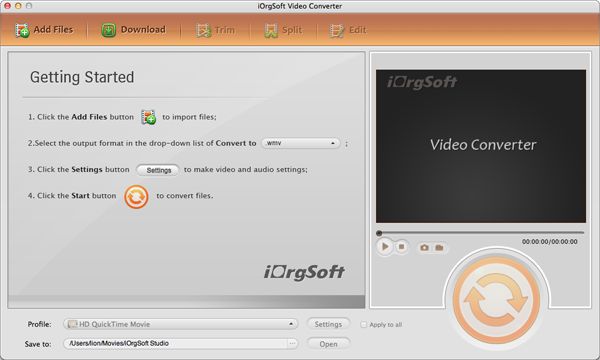
Click "Add Files" button to load RM file into RM to avi converter mac
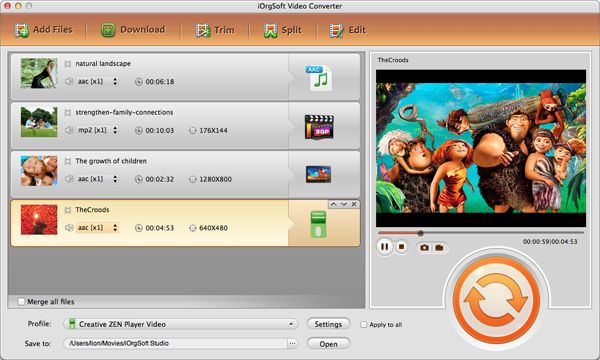
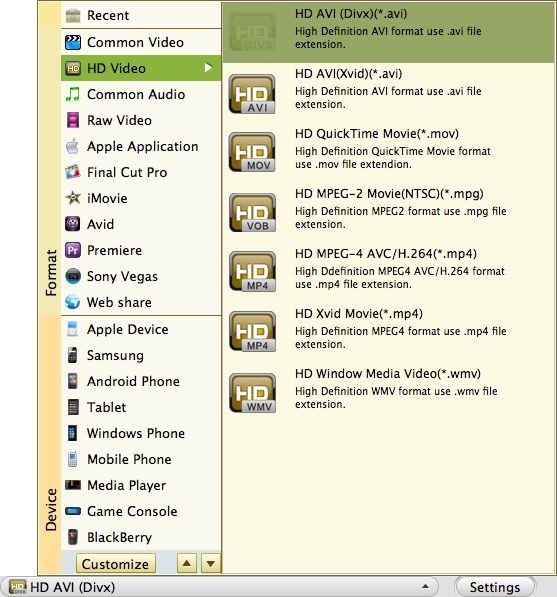
Select output formats for RM to avi converter mac.
Select an output format for the source file in the drop down list next to the Profile filed. Choose a location to store the converted file in the Output pull down list.
Click "Convert" button to start to convert RM to AVI on mac.
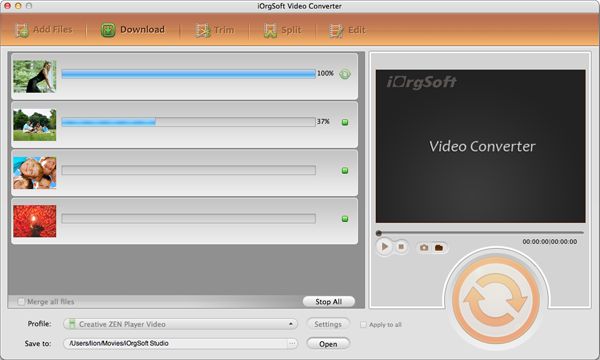
Enjoy your avi format in mac now!



